
Insights
PLC Spare Parts Strategy: What to Stock, How to Keep It Ready, How to Decide
Rank spares for plant controls, flash them to the site firmware, test them on a schedule and track them in one register. Free spares register template.

Table of contents
Most plants know what they would like on the shelf. Few know whether the controller in the cabinet would run their program the day the line goes down. A spare that has never been powered up, that nobody has flashed to the site’s firmware, and that is not on any list with a test date is a box of hope, not a spare.
Joltek’s PLC spare parts strategy is simple. A spare is a part in a known state: ranked by what it protects, flashed to the revision your site runs, tested on a schedule, and written in one register with a date. A last-time buy only buys time to a dated plan.
Joltek’s founder, Vladimir Romanov, saw what the alternative costs. A global life sciences manufacturer’s packaging line ran over 120 servo axes on the Rockwell 1394 platform. The platform was discontinued, and spare parts were “nearly impossible to source”. Lead times for obsolete spare components were expected to extend into weeks or months. The fix was a planned migration inside a two-week shutdown, not a better shelf. A 120-axis motion platform migration tells the full story.
Vladimir is a consultant and systems architect, independent of any vendor. This guide is for the maintenance or engineering manager deciding what to buy, hold and test. It covers:
- how to rank spares by consequence and recoverability, and what that means for controllers, drives, panel PCs and network gear;
- which firmware to flash, how to test a spare and how to prove it still works;
- when a used part is acceptable and when a last-time buy makes sense;
- the register that keeps all of it honest, and who owns the decision.
A note on independence: Joltek has no paid relationship with any vendor named in this guide.
Which PLC spare parts are worth holding?
Hold a spare when losing the part stops production and nothing else can restore it quickly. Rank each part on three questions: what stops, how long until you could get a replacement without a spare, and what you cannot recreate, such as the program, firmware or licence. High on all three means a tested spare on site.
- Consequence. What stops if this part fails? A failed controller on a packaging line stops the line. A failed port on a spare I/O card in a corner of the plant might stop nothing.
- Replacement time without a spare. How long until a working replacement is in the cabinet if you start the order the moment it fails? Count the order, the freight, the receiving, and the time to get it running, not only the quoted lead time.
- Recoverability. What cannot be recreated from a catalogue? A power supply is the same part every time. A controller is only useful with its program, its firmware and its licences, and a panel PC is only useful with its image and its keys.
A part that scores high on all three earns a tested spare on site. A part that scores low on all three earns a line in the register and a supplier’s phone number. Most parts sit between, and the middle is where the decision needs a name next to it.
The table below shows where each device class tends to land on a typical line. Treat it as a starting point and override it with what you know about your own plant. Tier 1 is a tested spare on site. Tier 2 is a spare on site or a confirmed supply route, with a lighter test. Tier 3 is bought when needed.
| Device class | What stops when it fails | Typical replacement problem | What cannot be recreated | Default tier |
|---|---|---|---|---|
| CPU or controller | The machine or line it runs | Must match the site’s firmware and be loaded with the program | Program, firmware revision, licences | 1 |
| Communication module | Data between devices, sometimes the whole network segment | Firmware and configuration must match the old module | Module configuration | 1 or 2 |
| Power supply | Everything in the rack or cabinet it feeds | Usually a stock part, but the wrong rating or revision does not fit | Nothing, if the part is standard | 2 |
| I/O module | One machine area or a set of signals | Wiring and configuration must match the slot | Slot configuration | 2 |
| Drive | The motor, and the process behind it | Parameters must be restored, and a long-stored drive may need reforming | Parameter set | 1 or 2 |
| Panel PC or HMI | The operator’s view and control of the machine | Image, licences and recovery keys must be on hand | Application, image, keys | 1 |
| Managed switch or gateway | One network segment, or the link between two networks | Saved configuration must exist and be current | Configuration | 1 or 2 |
Source: Joltek’s default tiering for a typical manufacturing line. These are starting points, not vendor data.
The reason to hold spares at all is recovery time. NIST’s SP 800-82r3 (2023) says the recovery time and recovery point objectives “may justify investment in spare inventory if recovery objectives cannot be met by other means”. It adds that for smaller interruptions a critical spares inventory “will likely prove adequate to meet the recovery objectives”, while larger recovery depends on vendor relationships. In other words, start from how long each line can be down, and let that set how much is on the shelf.
Finding out what the plant runs comes first, and Joltek’s Rockwell installed-base audit covers it for the largest installed base. The same logic applies to other vendors.
What firmware should a spare controller carry?
Flash every spare to the revision your site standard runs, write it on the shelf label and in the register, and keep the matching engineering software installed. A revision mismatch is a problem to find on the bench, not at the machine. Vendors differ on what can be reflashed, so check before you buy.
Firmware is part of the spare, not an afterthought to it. A controller out of the box carries whatever revision the factory or the last owner left on it. Your projects, your engineering software and your other modules were built against a specific revision. Until the spare matches, it is a different part from the one it is meant to replace.
So the first decision is a site standard. For each controller family, choose the revision your plant runs and write it down. That revision is what every spare gets flashed to, and it is the number on the label and in the register. If the plant runs two revisions of the same family, the spare holds one of them and the register says which line it serves, or you hold two spares.
The 1394 migration shows why this matters before the day of the failure. A global life sciences manufacturer’s team spent three months on preparation. Firmware compatibility between the ControlLogix controllers and the Kinetix 6200 drives was confirmed on the bench, and the controllers were upgraded to firmware version 20. Nothing about the shutdown depended on discovering a mismatch live. The same discipline applies to a spare: do the compatibility work on the bench, with time, when the line is running.
Reflashing is not always a free move. In one ControlLogix 5580 redundancy release note, Rockwell lists some firmware updates as “conditionally not allowed, depending on the modules in the local rack”. That is one note for one product line, not a rule for every controller. It does show why a spare needs a test in a rack that looks like the real one, and why you check the vendor’s compatibility tool before you buy a part you intend to flash.
For each spare controller, the routine is short:
- Decide the site standard revision for the family.
- Bring the spare up on a bench and read its revision.
- Flash it to the standard, using the vendor’s tool, and confirm the result.
- Write the revision on the shelf label and in the register.
- Keep the matching engineering software installed on a machine that is not the production laptop.
- Repeat when the site standard changes. A spare flashed to last year’s revision is out of date the day the line moves.
Firmware is also drifting on the parts around the controller. An OEM line Joltek stabilised for a mid-market packaging manufacturer surfaced undocumented drive parameter changes, missing OEM source projects, HMI firmware drifting from the engineering toolset, and trial licensing. On that line, a press-roll drive’s overload restriction sat at 5.72 A against a 13.80 A factory default, with no record of who changed it. A spare drive loaded with factory defaults would not have behaved like the drive it replaced.
That is why the same case recommends that a purchase order require editable controller and HMI source, a parameter export for every drive and a record of any protection setting changed from default. For spare drives, the parameter export is what turns a box into a replacement. Store it with the part, or at least in the register.
How do you keep a spare panel PC, HMI or switch ready?
A spare panel PC or HMI is only as good as its image, its licences and its recovery keys, so store those with the hardware. Keep a current image, the BitLocker recovery key saved before imaging, and the licence record. For switches and gateways, keep the saved configuration. Check the vendor’s spare-parts window, which is shorter for industrial PCs.
A spare panel PC straight from the box is a blank computer. The operator screens, the runtime licences and the disk encryption keys are what make it the machine on the line. If those live only on the failed unit, the spare is not a spare.
Joltek saw this at an automated warehouse. The site’s panel PCs had no recovery path. Files were backed up, remote connectivity was set up and technicians were shown how to repeat it, and the remaining recovery steps were in the plan, “partly in place”. That was the state of the work, not a finished result. For the rest, Joltek recommended live image-level backups with bare-metal restore, BitLocker recovery keys saved before any imaging, a record of node-locked runtime licences, and a tested restore before any backup counts as done. These were recommendations, and the full account is in recovering a warehouse’s tote-lane controls and network.
The BitLocker point deserves care, because it is where a good image can still fail. In Microsoft’s wording, device encryption turns on, and a recovery key is attached to the account, when a device is first set up or signed in with a Microsoft account, or a work or school account. It is not automatic with a local account. Microsoft also says it is important to verify that the backup exists and is accessible, or to create an extra backup of your own. For a spare, that means saving the key before imaging and checking you can read it.
The same problem shows up on a smaller line. On the OEM line described above, an HMI application “existed only on the panel”, on a trial-licensed engineering toolset with about three weeks left. A spare panel would have been empty without that application, and the toolset needed to rebuild it was about to expire.
Windows adds a date of its own. Microsoft’s lifecycle page for Windows 10 IoT Enterprise LTSC 2021 (updated November 2022) puts the end of mainstream support at 12 January 2027 and extended support at 13 January 2032. If a spare panel PC is still on that operating system, write the dates in the register, and decide now what replaces it.
The hardware has its own clock as well. Siemens’ Spare Parts Supply Details (October 2025) says individual spare parts for most SIMATIC Box, Panel and Rack PCs stay available for 5 years from the phase-out declaration, known as P.M400. For IPC327x, IPC527x, BX-53x, IPC377x, several rack IPCs and IOT2050 the window is 3 years, and for MD-34A it is 2 years. Siemens’ Product Lifecycle States document (status 29 December 2009) sets 10 years from the same declaration for PLC hardware, so the industrial PC in the cabinet is on a much shorter clock than the controller beside it. That document is old, so confirm the current figure with Siemens. Check the dates for your own part in the Siemens spare-parts document.
What a spare panel PC or switch must carry:
| Item | Where it lives | Who updates it | How often |
|---|---|---|---|
| Image of the working unit | Secure storage that is not on the unit itself | Maintenance or controls engineer | After every change to the application or operating system |
| BitLocker recovery key | Saved before imaging, in a managed location | IT or controls engineer | When the unit is set up or the key changes |
| Licence record, including node-locked runtime licences | The register, with the licence files | Controls engineer | When a licence is added, moved or renewed |
| Saved configuration (switch or gateway) | Secure storage and the register | Network owner | After every configuration change |
| Firmware revision | The register and the shelf label | Whoever flashes the spare | When the site standard changes |
Source: Joltek’s recommended spare kit, drawn from the tote-lane and OEM line cases above.
Is it safe to buy control system spares on the secondary market?
It can be, with limits. Vendors say grey-market and unauthorised-source units may be used, refurbished or counterfeit, and carry reduced or no warranty. Treat a used part as a bridge, buy from a source that will state its history, and test it on receipt for firmware, date code and function before it goes on the shelf.
When a part is obsolete, the secondary market is often the only source. It is also where a spare can arrive in an unknown state. The right question is not whether to use it. It is what you will check before the part counts.
Siemens’ 2024 guidance for Australia and New Zealand, Safeguard your purchases from unauthorised sources and counterfeit products, says grey-market goods are in many cases original products. It adds that “in some instances, counterfeit items may be deceitfully marketed as genuine”.
The same document says a grey-market buyer “cannot recognise beyond doubt” whether the goods come with standard support and warranty, or are used, refurbished, damaged or counterfeit. Siemens says it does not provide full statutory warranty or standard technical support for grey-market products. It also says new products in larger quantities in original packaging are only available through standard commercial channels, “substantiated in the past through numerous test purchases”. That last point is Siemens’ own statement, and this guide reports it as such.
Other vendors have their own rules on warranty and licensing for parts bought outside authorised channels. Read the terms of your own vendor before you buy, because the warranty position for the part may differ from the Siemens one.
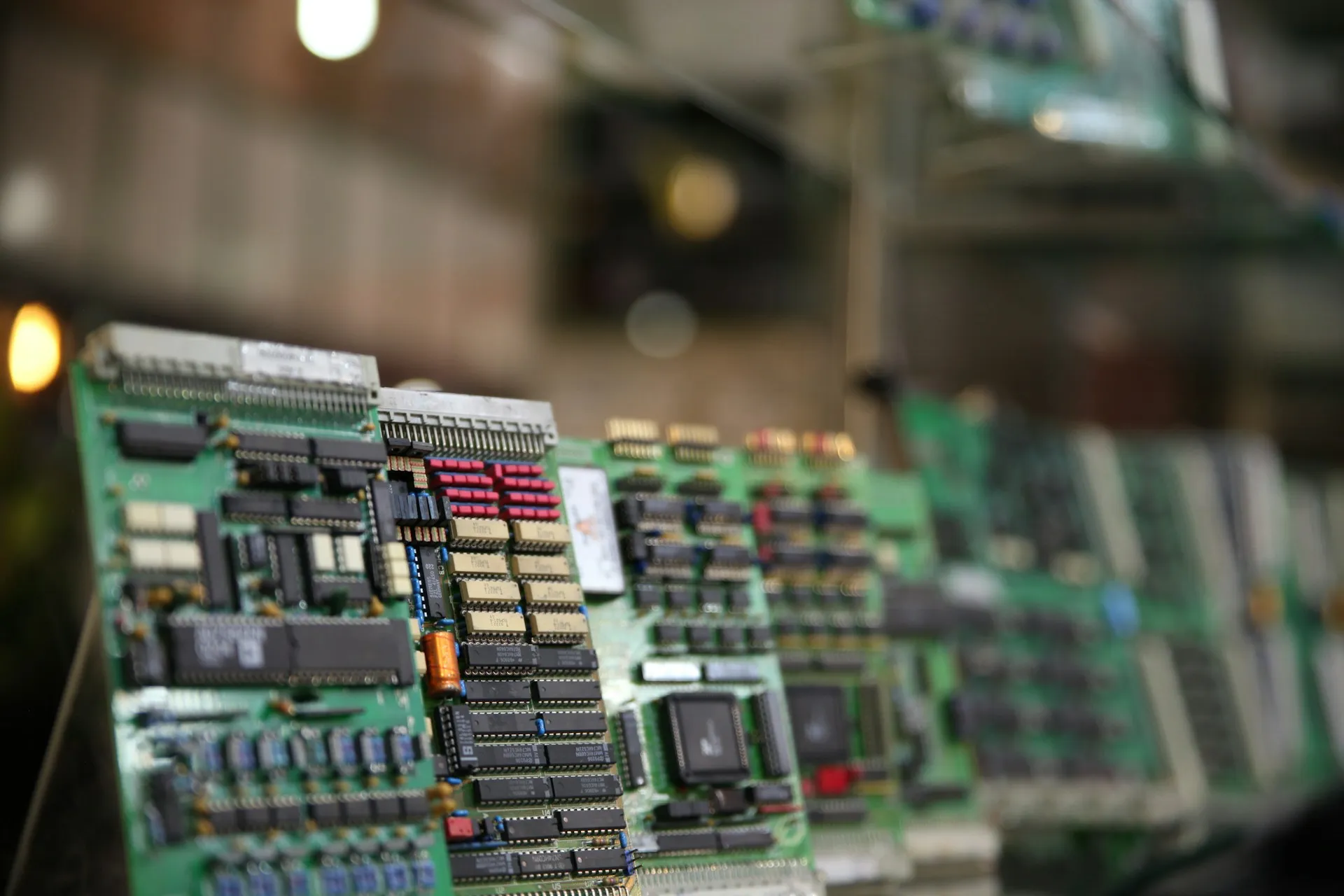
On receipt, treat the part as unproven until it passes a short checklist:
- Photograph the packaging and the labels before anything is opened.
- Read the hardware and firmware revision from the device.
- Check the date code against what the seller said.
- Power it up on a bench, not in the production cabinet.
- Run a function test with a representative load.
- Record the source and the price in the register.
- Add it to the register with a test date, and only then put it on the shelf.
Aerospace has a worked example of how to think about the source. SAE’s AS6081A (revised 21 April 2023) standardises practices to identify reliable sources to procure electrical, electronic and electromechanical parts in independent distribution, for aerospace. The abstract is all this guide draws on, and it does not claim the standard applies to PLC buyers. The idea carries over anyway: qualify the source before you rely on the part, and keep the chain of custody on record.
A used part is a bridge to a dated migration, not a plan. It buys time while the replacement is specified, funded and installed, which is the same logic that governs a last-time buy in the next section. If a used part is the plan, the plan has no end date.
When does a last-time buy make sense?
Buy last-time when a part is critical, has no equivalent, and your migration date is later than the vendor’s last-order date. Size it from your own failure history and the years to migration, not a round number. A last-time buy buys time to a dated plan. Without that date it only delays the problem.
A last-time buy is a decision to stock for a period you can name. That period is the gap between the last date you can buy the part and the date the plant no longer needs it. If you cannot name the second date, you do not yet know how many to buy.
Vendors describe the end of a product’s life in different words, so read the notice for the terms it actually uses. Siemens’ phase-out declaration, known as P.M400, starts the spare-parts obligation. In Siemens’ Product Lifecycle States document (status 29 December 2009), that obligation is 10 years for PLC hardware and 5 years for PC products, and the October 2025 spare-parts document is consistent for industrial PCs. Confirm the figure for your part with Siemens before you plan around it.
Schneider’s wording is different. Its FAQ FA321713 (modified 1 October 2026) says the non-Unity Modicon Momentum and Quantum CPUs were announced in May 2014 and obsolete on 31 May 2015, with “service by replacement or repair” available for eight years after, to 2023. Same idea, other vocabulary: the dates of the announcement and the obsolescence are not the same as the end of service.
There is a live example. Eichler, a Siemens partner and distributor, says in a page published 25 November 2025 and updated 16 September 2026 that the SIMATIC S7-1200 G1 has a phase-out declaration of 1 November 2026. New units remain available until 31 October 2027, the spare-parts phase is planned to run to 2036, and the successor is the S7-1200 G2. That is a distributor’s page, not Siemens’, so check the dates with Siemens before you act on them.
The sizing rule is simple to state. Take the expected failures per year for the part, from the plant’s own failure log, and multiply by the years to your migration date. Add a margin that you write down and defend. If there is no failure log, the first purchase is the log: start recording every failure, with its date and cause, today.
NIST gives the reason these decisions are written down. In SP 800-82r3 (2023), under supply chain controls, it notes that OT components are often built for purpose with a limited number of suppliers, so spare parts strategies are developed to secure supply of critical components. A last-time buy is one way to do that, and it works only for a stated period.
Joltek’s guide to End of Sale, End of Support and End of Life shows how to read where a platform sits, and the decision it points to is a migration date, not a bigger shelf.
How do you test a spare before you need it?
Bring each spare up on a bench on a schedule: power it, load the firmware and project, and confirm it runs. Stored drives and power supplies with electrolytic capacitors may need reforming after long storage. The vendor’s threshold runs from one year to three, depending on the maker and the storage temperature. Log the date.
Each bench test follows the same list:
- Power the spare on a bench, away from the production cabinet.
- Read the revision and confirm it matches the label and the register.
- Load the project, image or saved configuration.
- Run a function check that exercises the part, not only the power light.
- Record the date and the tester’s name in the test log.
- Return it to the shelf with the label updated.
Keep a test log with one line per spare per test: the asset ID, the date, who ran it, the revision read, the result and any action. It is short, and it is what a manager needs to see in a review.
Drives and power supplies have a storage problem of their own. Electrolytic capacitors can degrade when a unit sits without power, and the vendors do not agree on how long is too long:
| Vendor and product | Threshold | What to do | Source and date |
|---|---|---|---|
| ABB drive modules | A year or more non-operational | Reform the electrolytic DC link capacitors; method depends on module type and idle time; under a year, no reforming | ABB 3BFE64059629 Rev H, 21 December 2021 |
| Schneider Altivar Process | 12, 24 or 36 months without mains, at up to 50, 45 or 40 C | Apply mains for one hour before starting the motor; apply line voltage at least once a year for one hour if possible | Schneider FAQ FA337087, modified 30 October 2026 |
| Yaskawa A1000 | Once a year; more than two years | Power for at least 30 minutes yearly; after two years, use a variable source from 0 V to rated over 2 to 3 minutes, then power for at least an hour with no load | Yaskawa A1000 Technical Manual, section 7.2, edition not stated |
Source: ABB, capacitor reforming instructions (2021); Schneider Electric, FAQ FA337087 (2026); Yaskawa, A1000 Technical Manual, section 7.2, cited by section and not linked.
The disagreement is the information. ABB’s threshold is a year, Schneider’s runs from 12 to 36 months depending on how warm the drive was stored, and Yaskawa’s variable-source procedure starts after two years. A single rule of thumb for the whole shelf would be wrong for some of it. ABB says that without reforming the capacitors can be damaged on start.
Rockwell’s threshold for PowerFlex and Kinetix drives is not stated here. Joltek could not confirm it from a primary source, so check Rockwell’s current guidance for your drive before you set a schedule.
Read your drive’s manual before you energise a long-stored drive. Isolate and lock out the supply, and measure the DC link before you touch anything. The vendor’s procedure is the authority, and the table is only a map to it.
Batteries get one paragraph, and no interval. A spare battery has a date code, and storage changes its capacity. In lithium thionyl chloride cells, Tadiran’s 2022 white paper explains, the passivation film that limits self-discharge is influenced by the length of storage and the storage temperature. That applies to that cell chemistry only. Check the date code and the chemistry of your own PLC battery before you decide how long it can wait.
The spare is also your test bench. NIST says testing backup and restoration on OT “is often limited to systems with redundancy or spare equipment”. When it covers storing spare equipment, it asks the plant to consider recovery timeframes and environmental hazards. A dry, temperature-controlled shelf serves both purposes. A spare that is already racked and powered for a bench test is the one place you can safely practise a restore.
Restoring from backup is its own subject, covered in what to back up and how to prove a restore works, so this guide does not repeat it.
Should several sites share one set of spares?
Sharing works when the equipment, firmware and procedure are the same at every site, and the time to ship a part fits inside the outage you can tolerate. It fails when one site’s standard differs or nobody owns the release decision. NIST ties spare inventory to recovery time objectives, so start from how long each line can be down.
A shared pool is attractive because it cuts the number of spares. It also moves the risk from the shelf to the shipping lane, and that is where the plan can fail unnoticed.
Four conditions have to hold for a pool to work:
- One standard per family. Every site runs the same controller revision, so one spare serves all of them.
- One register. The pool is visible in one place, with quantity, location and test date.
- Transit inside the objective. The time to ship a part, clear customs if it crosses a border, and install it is shorter than the outage the line can tolerate.
- A release rule. Someone has the authority to take a part from the pool, and everyone knows who.
The release rule is the one most plants skip. Write down who may take a part, who is told when they do, and how the pool is refilled afterwards. If that is left to whoever phones first, the pool is empty at the worst moment.
Sharing fails in predictable places. One site is on a different revision, so the part from the pool needs a flash before it works. A part is in transit when the second site fails. Nobody owns the release decision, so two sites each assume the part is theirs. These are failure modes from the logic of the arrangement, not observations from a particular plant, so treat them as a checklist for your own design.
What goes in a spares register?
A spares register records, for each spare, the asset it covers, the consequence of that asset failing, quantity and location, hardware and firmware revision, the date it was last tested, where the program, licence and image live, the source, and the vendor’s lifecycle status with a date. The test date and the revision are the columns most registers lack.
A register is one list that answers the question a manager asks on the worst day: what do we have, is it ready, and where is it. If the answers live in three spreadsheets and a person’s memory, the register is not a register.
It hangs off the plant’s OT asset inventory by asset ID. The inventory says what is installed. The register says what stands behind it.
| Field | What to record | Why it matters |
|---|---|---|
| Asset ID | The ID of the installed asset the spare covers | Links the spare to the inventory |
| Asset covered | Name, line and location of the asset | Shows what the spare protects |
| Consequence tier | The tier from the ranking in the first section | Sets how often the spare is tested and how fast it is replaced |
| Part number | The vendor’s exact part number | A near match is not a spare |
| Quantity | Number on hand | Tells you whether a second failure is covered |
| Location | Where the spare is stored | A spare nobody can find does not count |
| Hardware revision | The hardware revision read from the device | Revisions can differ in fit and function |
| Firmware revision | The revision the spare is flashed to | The column most registers lack |
| Last test date | Date of the last bench test | The other column most registers lack |
| Program and image location | Where the program, image or saved configuration lives | A spare without its program is a different part |
| Licence and key record | Licences, node-locked runtime licences and recovery keys | Needed to bring the spare into service |
| Source and chain of custody | Who supplied it, when, and whether it was bought new or used | Decides how far the part can be trusted |
| Lifecycle status and date | The vendor’s lifecycle state and the date it was stated | Tells you how long you have to act |
| Owner | The named person responsible for the spare | Without one, nobody reviews it |
Source: Joltek’s recommended register fields.
Buying is the cheapest moment to fill the register. Joltek’s OEM line case says a purchase order should require editable controller and HMI source, a parameter export for every drive and a record of any protection setting changed from default. Put that in the order, and the register fills itself as the equipment arrives.
Joltek has built a free spares register template with the fields above. Download the PLC spares register template as a spreadsheet, with no email needed.
How do you decide, and who owns the decision?
One named owner in maintenance or engineering reviews the register on a fixed cycle and whenever a trigger fires: a vendor lifecycle notice, a failure, a firmware change, a machine swap. Spend follows consequence. Each decision is written down as hold, buy last-time, migrate or accept the risk, with a date.
The review has two clocks. One is a fixed cycle, for example twice a year, with the date in the calendar. The other is a trigger:
- a vendor lifecycle notice for a part in the register;
- a failure of a part, or of its spare;
- a firmware change, which resets the revision on every spare in that family;
- a machine swap or a line change that alters what the spare covers.
Each review ends in a decision, written down with a date. The table shows how the four options usually apply:
| Situation | Hold | Buy last-time | Migrate | Accept the risk |
|---|---|---|---|---|
| Critical controller with a dated migration | Yes, until the date | Only if the last-order date comes first | Yes, on the plan | No |
| Critical part with no equivalent and no plan | Yes | Yes | Start a plan | Only with a named sponsor and a date |
| Standard part, low consequence, easy to replace | Optional | No | No | Yes |
| Panel PC on an operating system near the end of support | Yes, with image and keys | If hardware is going out of supply | Plan the replacement | Short term, with a date |
Source: Joltek’s decision framework, written for this guide.
An illustrative example shows how this plays out. This one is invented for the guide, with round numbers, for a plastics compounding plant with three extrusion lines. It is not a client.
| Spare | On hand | Tier | Last tested | Decision |
|---|---|---|---|---|
| Line controller, site standard revision | 1 | 1 | 3 months ago | Hold, migrate in 2028 |
| Operator panel PC with image and key | 1 | 1 | 6 months ago | Hold, plan replacement |
| Main drive, 55 kW | 1 | 1 | 14 months ago | Test this month, reform if needed |
| Managed switch with saved configuration | 1 | 2 | 6 months ago | Hold |
| Analog input module | 2 | 2 | 12 months ago | Hold, retest |
| Standard 24 V power supply | 2 | 3 | Never | Accept the risk, buy locally |
Source: Illustrative example created for this guide. The plant, counts and dates are invented.
The drive row is the one a review would catch. At 14 months it is past ABB’s one-year threshold and inside the first Schneider band, so a bench test and possibly a reforming would be due. A register with a test date is what lets the owner see that before the day the drive is needed.
Joltek’s plant systems assessment includes spares exposure among its published deliverables. It is a way to get the first register built by someone who has seen the pattern before.
Frequently asked questions
How many spare PLCs should a plant keep?
One per critical controller family, on the site’s standard firmware, not one per machine. Hold more only where your own failure log or the lead time justifies it, and write the reason in the register. A spare that has never been powered up does not count.
What spare parts should you keep for a PLC system?
The controller, communication modules, power supply, a few of each I/O type on critical machines, the HMI or panel PC image, and the saved configurations for switches and gateways. Rank each by what stops the line and what you cannot recreate.
Is it safe to buy used or refurbished PLC parts?
Sometimes, as a bridge. Siemens says grey-market products may be used, refurbished or counterfeit and carry no full warranty or standard support. Buy from a source that states the history, and test the part on receipt before it goes on the shelf.
How long can a VFD sit in storage before it needs reforming?
It depends on the maker. ABB says a year or more without power. Schneider’s Altivar Process drives allow 12, 24 or 36 months depending on storage temperature. Yaskawa recommends power once a year and a variable source after two years. Read your drive’s manual.
When should you do a last-time buy?
When the part is critical, has no equivalent and your migration date is after the last order date. Size the buy from your own failure history and the years to migration, and tie it to a dated plan. Without the date, it only delays the problem.
A spare is a part in a known state
A shelf of parts is not a PLC spare parts strategy. A strategy is a short list of parts ranked by consequence, each flashed to the revision the plant runs, tested on a date, and written in one register with an owner. When the day comes, the question is not whether a part exists. It is whether the part works with your program, and whether anyone knows.
Start with one line. List the spares behind its most consequential assets, fill the register for that line, and test one spare this month.
If the list is longer than your team can work, Joltek can help. A plant systems assessment covers spares exposure alongside the rest of the plant’s control and network risk, and Joltek is independent of any vendor. To talk through your situation, book a free modernization consultation.
References and further reading
- NIST SP 800-82r3, Guide to Operational Technology (OT) Security · National Institute of Standards and Technology, September 2023
- Capacitor reforming instructions, 3BFE64059629 Rev H · ABB, 21 December 2021
- Altivar Process: storage and capacitor reforming, FAQ FA337087 · Schneider Electric, modified 30 October 2026
- Safeguard your purchases from unauthorised sources and counterfeit products (Australia and New Zealand) · Siemens, 2024
- Spare Parts Supply Details · Siemens, October 2025
- Product Lifecycle States · Siemens, status 29 December 2009
- Device encryption in Windows · Microsoft Support
- AS6081A, Counterfeit Electrical, Electronic, and Electromechanical (EEE) Parts: Avoidance, Detection, Mitigation, and Disposition, Independent Distribution (abstract) · SAE International, revised 21 April 2023
- Modicon Momentum and Quantum non-Unity CPUs: obsolescence and service, FAQ FA321713 · Schneider Electric, modified 1 October 2026
- ControlLogix 5580 redundancy bundle release note (34.011) · Rockwell Automation, March 2022