
Insights
PLC Version Control in Practice: A Field Guide to AssetCentre, octoplant, Copia, SDA and Git
A field guide to PLC version control from real deployments: AssetCentre, octoplant, Copia, SDA and Git for Studio 5000, TIA Portal, TwinCAT and CODESYS.
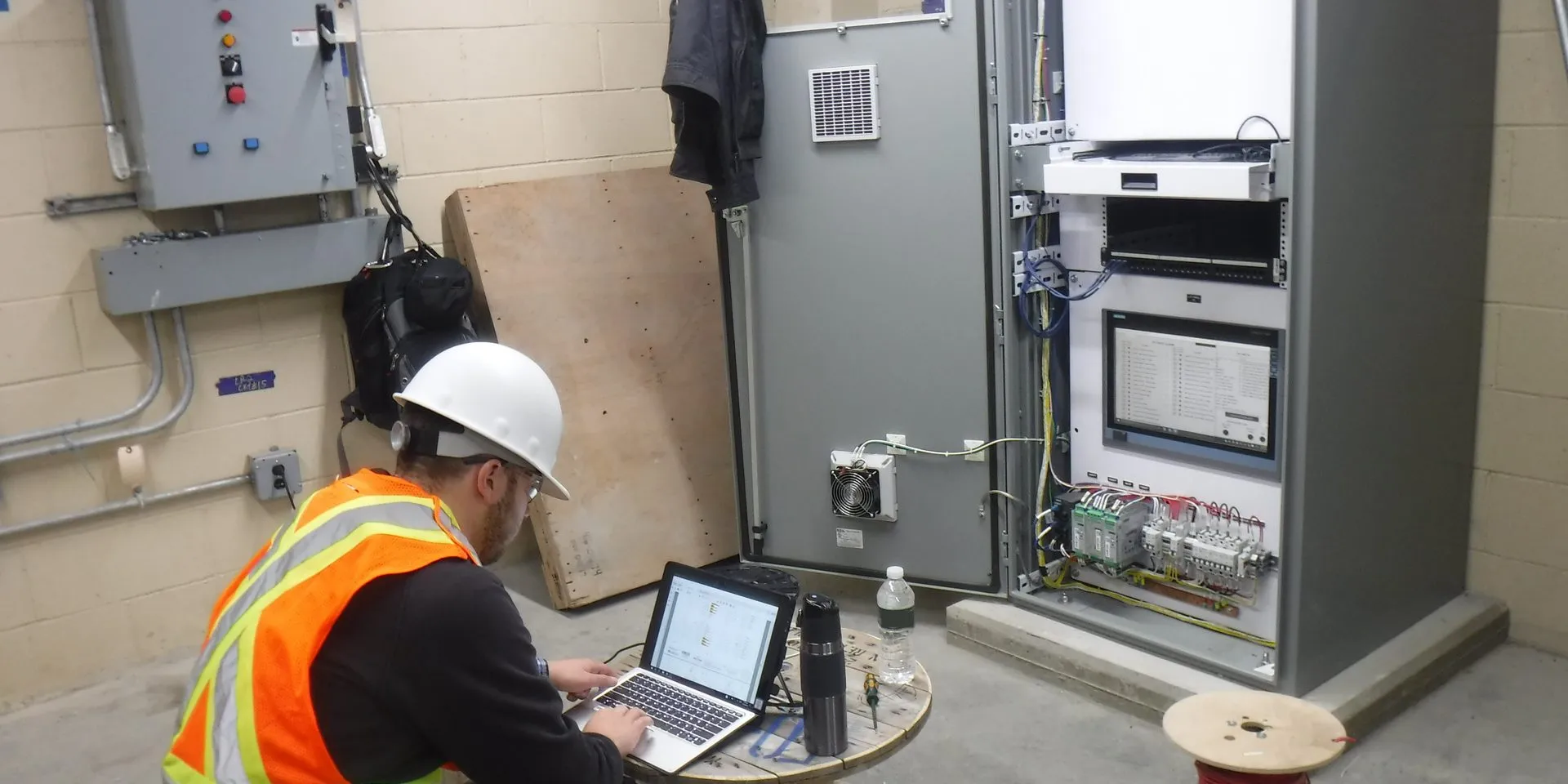
Table of contents
Most plants have three versions of the same PLC program:
- the one running in the controller;
- an approved copy somebody believes is current;
- at least one more on an engineer’s laptop, saved under a name like
site_version_new_NEW_v2_old.
PLC version control is the work of keeping those three the same, and of knowing who changed what when they drift apart. The alternative, as one engineer put it on the Inductive Automation forum this year, is to “close your eyes, click on a program, and hope its the one actually in the processor.”
Joltek’s founder, Vladimir Romanov, has:
- worked in more than a dozen plants that ran Rockwell’s FactoryTalk AssetCentre, and deployed it at four Kraft Heinz sites himself;
- trained another large food manufacturer’s engineers to run their own deployments;
- connected and backed up Rockwell and Siemens controllers on Copia and Software Defined Automation in demo environments.
The lesson from all of it is simple. The tool is the smaller decision. The training and hygiene of the people using it decide whether any of them work.
This guide is for the engineering manager or director deciding how their plants should handle PLC code. It covers:
- what PLC version control is, and why a backup is not the same thing;
- why it fails in most plants, and what a working setup needs;
- FactoryTalk AssetCentre, octoplant, Copia and SDA, from deployments and demos;
- Git used directly with Studio 5000, TIA Portal, TwinCAT, CODESYS and Ignition, including Rockwell’s new open-source tools and TIA Portal V21’s text export;
- what it costs, a 90-day rollout plan, and what regulators now expect;
- why Git is becoming the backbone for all of it.
For the wider picture of how plants control changes to their automation systems, see automation change management, end to end.
A note on independence: Joltek has no paid relationship with any vendor named in this guide. Vladimir knows the Copia and SDA teams personally.
What is PLC version control, really?
PLC version control is knowing which version of each controller’s program is running, which version is approved, and who changed what between them. It has three parts: device backups with change detection, controlled engineering files, and a change process that decides who may edit and how changes get approved. A backup alone is only the first part.
Ask a maintenance supervisor where the program for line 3 is and the answer usually comes in three parts. The program running in the controller is the one that actually moves the line. The approved version is the copy the plant believes is current, wherever it is kept. The engineering copies are what people open, edit and download: on laptops, on a shared drive, in an email from the integrator. PLC version control exists to keep those three the same, and to make it obvious who changed what when they are not.
The three truths
| Truth | Where it lives | Who changes it | How it drifts |
|---|---|---|---|
| The running program | Controller memory | Anyone with the software and access, by online edit or download | An online fix that is never saved, a download of the wrong file, a change made at 3 a.m., or an attacker |
| The approved version | An archive, a server or a repository | Whoever checks in | Nobody checks in after a change, or “approved” is a folder name, not a process |
| The engineering copies | Laptops, shared drives, integrators’ systems | Engineers, integrators, OEMs | Private copies kept “just in case”, filenames used as version numbers |
Every PLC version control failure is drift between two of these. An online edit puts the running program ahead of every file. A download from a stale laptop copy puts it behind. An integrator’s final project that never reaches the archive leaves the approved version wrong from day one.
Four jobs, not one
The tools on the market do some or all of four jobs:
- Back up the device: take what is actually running, on a schedule.
- Detect change: compare the running program with the approved one, and say exactly what differs.
- Version the engineering files: keep a history of who changed what and why, with the ability to roll back.
- Govern the change: decide who may edit, how online edits are captured, and who approves a change before it goes to a controller.
A nightly backup does only the first job. If the program it copies is the wrong one, the plant ends up with a reliable copy of a wrong program.
The tools start from different jobs:
- AssetCentre and octoplant were built around the first two, and the idea of an approved version.
- Git-based tools such as Copia started from the third.
The fourth job belongs to the plant, whatever is installed. For the difference between the approved-version model and the Git model, see the two models of PLC version control.
What counts as “the program”
A PLC version control system is only as good as what it captures. The logic is the obvious part. A controller also holds:
- tag values, such as recipes, setpoints, counters and timer presets, which operators and the HMI change every day;
- the controller and I/O configuration: modules, networks and their settings;
- the firmware revision, which decides which version of the engineering software can open the project.
Around the controller sit the HMI application, drive parameters, robot programs, safety controller projects and network switch configurations. Each of them can drift, and each of them is needed to rebuild a line.
Tag values need a decision of their own. A compare that flags every changed counter is noise, and people stop reading it. A compare that ignores tag values entirely will miss a setpoint someone changed without telling anyone. The usual answer is to compare logic and configuration on every run, and to treat a short, named list of critical setpoints as part of the approved version.
Why it matters more in 2026
The security case for knowing what is running is not new.
- Stuxnet. Symantec’s 2011 analysis found that “victims attempting to verify the issue would not see any rogue PLC code as Stuxnet hides its modifications,” because it intercepted the engineering software’s routines for reading code blocks from the controller (Symantec, W32.Stuxnet Dossier). The lesson for version control: a compare is only as trustworthy as the copy it compares against. Keep one that lives offline.
- AA26-097A (April 2026). The newest guidance is more direct. In this advisory, US agencies described attackers who modified PLC logic and Add-On Instructions, changes that “disabled critical shutdown and alarm logic.” They told owners to:
- “review project files running on PLCs for unauthorized changes”;
- “visually compare the running program to known good logic”;
- “verify the backup does not contain malicious logic before deployment” (CISA AA26-097A).
That is PLC version control, written into a federal advisory.
Version control also assumes the plant knows which devices it has. For that first step, see knowing what is on the network first.
Why does PLC version control fail in most plants?
Rarely because of the tool. It fails when online edits never make it back to the approved version, when programs live on shared drives and laptops instead of in one place, when check-out feels like friction so people go around it, when OEM code arrives locked, and when nobody ever tests a restore. Training and hygiene decide.
Across the plants Joltek has worked in, the pattern repeats regardless of which tool is installed. Vladimir’s summary of every rollout in those plants is short: it “really depends on the training and hygiene of the people using the solutions.” The table below lists the failure modes that come up most, what they look like on the floor, and what fixes them.
| Failure mode | What it looks like on the floor | The fix |
|---|---|---|
| Filenames as version numbers | Line3_final_v2_NEW.ACD. The top answer on a 2025 r/PLC thread about version control was a filename: “site_version_new_NEW_v2_old” | One archive or repository, and nothing that matters lives anywhere else |
| Online edits never uploaded | The controller differs from every file. The next download quietly removes last month’s fix | Upload and check in before the end of the shift, and run a scheduled compare that alerts on mismatch |
| Programs saved on personal PCs | The archive falls behind the laptops. In practice the laptop is the approved version | Train the workflow, then enforce one rule: no download without a check-out |
| Check-out treated as friction | Engineers edit local copies because checking out “is just an annoyance” | Make read-only copies easy for troubleshooting, so nobody needs a private copy |
| One engineer per line | The knowledge, and the only current copy, sit with one person | A shared repository and written approvals; anyone can see the history |
| OEM and integrator black boxes | Source-protected routines; source code never delivered; keys missing | Contract terms that require source, keys and backups at handover |
| Mixed IDE versions | Studio 5000 v24 on one line, v33 on the next; a virtual machine for each | Record the IDE and firmware version with every project, and keep the images current |
| Backup jobs failing silently | A schedule stopped months ago and nobody read the report | Alerts to a named person, and a monthly look at job status |
| License-protected or encoded code | Backups fail on protected files; Git shows a change on every export | Keep license dongles where the agents run; treat encoded content as a known blind spot |
| Restores never tested | A backup exists but nobody has rebuilt a controller from it | A restore drill on a spare CPU, at least once a year |
How one online edit becomes five versions
A typical sequence, put together from the patterns above rather than from any one plant:
- On a night shift, a technician fixes a jam on line 3 by changing a timer preset and one rung, online. The line runs. The fix is saved on the technician’s laptop as
Line3_fix.ACD, not in the archive. - A week later, an integrator arrives to add a reject station. They start from the copy the plant sent at the start of the project, add their logic and download it. The night-shift fix is gone.
- The jam comes back. The day-shift engineer uploads from the controller to see what is running, and saves it as
Line3_upload_Oct12.ACD. - The approved version in the archive is still the one from before the fix.
The plant now has five versions of one program:
- the running controller;
- the archive master;
- the technician’s laptop copy;
- the integrator’s copy;
- the engineer’s upload.
None of them contains both the jam fix and the reject station. Nobody did anything unusual. Every step was a normal way to work in a plant without a rule for online edits and a single place for files.
The two failures that show up most at AssetCentre sites are the second and third rows. The software goes in. The people keep working the way they did before:
- programs saved on their own PCs;
- online edits fixed in the controller and never brought back.
When Joltek trained another large food manufacturer’s engineers on their deployment, the core mistake was the same. People did not understand how to manage the software through the new workflow. They knew the tool existed. They did not know what it expected of them, or why.
A comment on Hacker News from 2018 still describes most plants: “Many PLC workflows I have seen are basically just a directory of files that you hope someone has been keeping up to date.” None of the rows in the table is fixed by buying a different product. Each one is a habit, and habits are trained.
Why buying a tool doesn’t fix it
A tool can enforce a rule, but it cannot decide one:
- AssetCentre can lock a file at check-out, but it cannot make an engineer check out before opening a copy kept on a laptop.
- Copia can require an approval before a merge, but it cannot make anyone open a merge request for an online edit made at 3 a.m.
A comment on Hacker News from 2023 names the mechanism: “A lot of times the binary blob that is the source code and the exported readable code get out of sync cuz of lack of discipline by the programmer.”
That is why the same products succeed at one site and fail at the next. The plants where version control works have three things the others lack:
- a short written rule that everyone has been trained on;
- one person per area who owns the schedules and reads the alerts;
- managers who ask, after every change, whether it was checked in.
What does a working PLC version control setup need?
Four layers: scheduled device backups that compare against the running controller, an approved version for every device, version control for engineering files (ideally as text), and a change process that says who may edit, how online edits get captured and how changes are approved. Tools cover the first three. Only the plant can supply the fourth.
The four layers
| Layer | What it does | Typical tools | Who owns it |
|---|---|---|---|
| 1. Device backup and change detection | Uploads what is running on a schedule and compares it with the approved version | AssetCentre disaster recovery, octoplant, Copia DeviceLink, SDA backup | Engineering owns the schedules; IT owns the server |
| 2. Approved versions | One pinned master per device, the reference everything is compared against | AssetCentre master, octoplant approved version, a protected branch or tag in Git | The engineering lead for each area |
| 3. Engineering source control | History, compare, and for Git tools branch and merge, for the files people edit | AssetCentre archive, octoplant, Copia, SDA, Git | The engineers |
| 4. The change process | Who may edit; the online-edit rule; who approves; how it ties into management of change | A written procedure, plus approvals inside the tool | The plant: operations and engineering together |
Layers one and two are what protect production. Layer three is what makes engineering work faster and safer. Layer four is what makes the other three true. A plant can buy the first three and still fail if the fourth is missing, which is the most common way these projects disappoint.
What to put under version control
Start with the PLCs, but plan for everything needed to rebuild a line:
| Asset | What to capture | Notes |
|---|---|---|
| PLCs | Logic, configuration, critical tag values, firmware revision, IDE version | The core of every tool |
| Safety controllers | The safety project and its signature or checksum | Changes usually need revalidation; keep the record with the validation |
| HMIs and SCADA | The runtime application and the project source | PanelView Plus, Optix and Ignition are covered by some tools, not all |
| Drives and servos | Parameter sets | Often forgotten until a drive is replaced |
| Robots and CNCs | Programs and controller backups | octoplant and Copia both list robot support |
| Network switches | Configuration files | AssetCentre covers Stratix; Copia covers SCALANCE |
| Documents | I/O lists, drawings, functional specifications | Version them with the code they describe |
A reference architecture
Most deployments, whichever vendor, share one shape:
- A server: at Level 3 of the plant network, or in the industrial DMZ, holding the archive or repository and running the schedules.
- Agents: placed close to the controllers, usually one or more per network zone, doing the uploads and compares so the server does not need a path to every device.
- Engineering workstations: checking files in and out of that server, instead of keeping their own.
- Cloud services: where used, an agent on the plant network that connects outbound only.
Two network decisions matter:
- Where the server and agents sit. That decides whether the backup system respects the plant’s zones or quietly flattens them. For how those zones fit together in a smaller plant, see where backup agents sit in the plant network.
- How outside engineers reach the controllers. Integrators and OEMs who edit code remotely should come in through the same controlled path as everyone else, so their changes land in the same archive. See controlled remote access for vendors who edit code.
The online-edit rule
Online editing is the right tool for many fixes, and banning it rarely works. The rule that does:
- An online edit is not finished until the program has been uploaded from the controller and checked in with a comment, before the end of the shift.
- A scheduled compare runs overnight against the approved version.
- A mismatch raises an alert to a named person, who closes it within a day: by checking in the change, or by reversing it.
Plants that adopt this rule stop losing fixes. Plants that don’t eventually download an old file over a running program and rediscover a problem they already solved.
Put the version in the controller
One old habit is still worth copying. A user on MrPLC described it in 2005: “a program version UDT & tag in a CLX, that carries program revision info, so that a look in the PLC shows what program is really in the PLC.”
A revision tag holds a version number, a date and a change reference, updated with every approved change. It lets a technician check what is running from the HMI, without opening the engineering software. It does not replace a compare, because nothing forces anyone to update it. It is a cheap second signal: when the tag and the archive disagree, someone has skipped a step.
FactoryTalk AssetCentre: what four deployments and a dozen plants teach
FactoryTalk AssetCentre is Rockwell’s on-premises tool for archiving project files, controlling check-out and check-in, and scheduling device backups that compare against a master version. Version 16 shipped in November 2025. Installing it is mostly IT work. Getting people to use it, instead of saving programs on their own laptops, is the real project.
Joltek’s founder has worked in more than a dozen plants that ran AssetCentre and deployed it at four Kraft Heinz sites himself. The pattern was consistent:
- the installs mostly went smoothly;
- most of the effort went into working with IT;
- the hard part started after go-live.
What AssetCentre does
AssetCentre does three jobs.
It archives project files. Engineering files live in a central archive held in SQL Server, not on laptops.
- Checking a file out gives one person an exclusive lock; anyone else can take a read-only copy to troubleshoot.
- A new version is created only when the content actually differs.
- Any version can be pinned as the master, the approved copy everything else is compared against (Rockwell, AssetCentre 16.00 Archive FAQ).
It schedules backups and compares. Agents run Backup, and Backup and Compare, jobs against the controllers on a schedule, and compare each upload with the master.
- When the running program differs from the approved one, the plant finds out from a report, not from a breakdown.
- Logix controllers also get change detection.
It records who changed what. Every check-in records the account and the time. One engineer’s summary on PLCtalk captures both sides of it: checking files out and back in is “just an annoyance”, but “changes are recorded between versions, tagged by account who changed them.”
The architecture is conventional:
- a server;
- desktop and web clients;
- agents that talk to the devices;
- Windows Server 2016 to 2025, and SQL Server 2019 or 2022.
A large system cannot exceed 100 agents in total.
What version 16 added
Version 16.00.00, released in November 2025, added (Rockwell release notes):
- Logix security-posture monitoring;
- an air-gapped lifecycle update;
- disaster recovery for FactoryTalk Optix Runtime;
- support for Schneider M340 and M580 controllers;
- SFTP.
Where it stops
AssetCentre is a Rockwell-first tool that reaches into other vendors through disaster-recovery support. The limits are worth knowing before a plant commits:
| Area | What the current release supports |
|---|---|
| Rockwell | Logix Designer v21 and later; RSLogix 5000 v20 and later; PowerFlex drives; PanelView Plus; Stratix switches |
| Siemens | TIA Portal 15.1, 16, 17, 18 and 19 only (not V20 or V21); STEP 7 5.6 SP1 and later; S7-300/400 and STEP 5 recovery no longer updated |
| Others | Mitsubishi GX Works2 and GX Works3; Schneider Control Expert 15.2 to 16 (password-encrypted projects fail) |
| FactoryTalk Design Studio | Projects are not supported for backup, compare or validation |
| Protected Logix projects | License-protected ACD files fail without a license dongle on the agent |
Source: FactoryTalk AssetCentre Server 16.00.00 release notes (November 2025).
The Design Studio gap matters for planning. Rockwell’s browser-based engineering environment has its own version control, covered later in this guide. A plant moving new projects into Design Studio while keeping older lines in Studio 5000 will run two systems, and should decide on purpose which one is the approved record for each line.
Installing it is mostly an IT project
The software installs without much drama. The work is agreeing with IT on everything around it, and that takes longer than the install:
| Settle with IT before install day | Why it matters |
|---|---|
| Where the server lives on the network | It has to reach agents in every production zone without flattening the network |
| SQL Server edition, license and backups | The archive is the SQL database; if it isn’t backed up, nothing is |
| Service accounts and permissions | Agents need rights on the devices and the server; humans need roles |
| Firewall paths from agents to controllers | Scheduled backups fail silently when a rule is missing |
| Patching and maintenance windows | The server is now part of production support |
| Encryption settings | SQL Server’s “Force Strict Encryption” is not supported, and FIPS mode must be off for the TIA Portal, GX Works and Control Expert agents |
| License dongles | Agents that back up license-protected ACD files need a Wibu dongle, or those backups fail without warning |
| Who supports it | IT owns the server; engineering owns the asset tree and the schedules |
Settle the last row in writing. When nobody owns the asset tree, new controllers never get added, the tree drifts from the plant, and the backups cover a plant that no longer exists.
After go-live: getting people to use it
This is where most deployments succeed or stall.
- The usual first problem is engineers who keep saving programs on their own PCs. Checking out from the archive feels like an extra step, so the archive falls behind the laptops and the controllers.
- The same mistake showed up when Joltek trained another large food manufacturer’s engineers: people did not understand how to manage software through the new workflow.
What works is a short set of rules, trained and then enforced:
- Nothing is downloaded to a controller unless it was checked out from the archive.
- Every online edit is uploaded and checked in before the end of the shift.
- The master version is pinned and kept current. A schedule compares every critical controller against it, and alerts go to a named person, not a shared inbox.
- Troubleshooting uses read-only copies, so nobody needs a private copy “just in case.”
- A restore is tested. A backup that has never rebuilt a controller is a hope, not a backup.
Designing the asset tree and schedules
The asset tree is the backbone of an AssetCentre system, and it is worth designing before anyone builds it:
- Mirror the plant: site, area, line, machine, device, using the names the plant already uses on drawings, work orders and the asset inventory.
- Group agents by network zone, so each agent group backs up the devices it can reach without new firewall holes. The base server includes four agent groups, which suits a small site and forces the question early at a large one.
- Separate critical devices from the rest. Controllers that stop the plant get a Backup and Compare schedule at least weekly, and often nightly. Less critical devices can run less often.
- Schedule around production. Uploads add load to the controller and the network. Run them at quiet times, and stagger them.
- Keep change-detect containers small. Rockwell’s release notes warn that containers of more than 100 controllers may time out in the desktop client.
Then the schedules need an owner. A compare report that nobody reads catches nothing. The pattern that works is one person per area who:
- reads the report every morning;
- closes each mismatch by checking in the change or reversing it;
- adds new controllers to the tree the week they arrive.
Licensing
- AssetCentre is licensed by capability (the server, disaster recovery and other modules) and by asset capacity.
- The base server includes 10 assets and 4 agent groups, and subscription packages exist.
- Rockwell does not publish prices.
- Count devices carefully before asking for a quote: capacity, not the software, drives the cost.
For more on configuration, see the AssetCentre reference page.
What replaced versiondog and AutoSave? octoplant
octoplant, from AMDT (formerly AUVESY-MDT), is the successor to versiondog and MDT AutoSave, whose support ended on 31 December 2025. It provides multi-vendor scheduled backups, approved-version check-out and check-in, change detection and compare across PLCs, HMIs, robots, drives and network devices, and suits audited, multi-vendor estates.
Where it came from. For years, multi-vendor plants chose between two products: versiondog, from AUVESY, and AutoSave, from MDT Software. The two companies merged in 2021, and octoplant became the successor to both. Support and maintenance for versiondog and AutoSave ran until 31 December 2025, with 2026 limited to consulting. A plant still running either one is now on unsupported software.
What it is now. AMDT describes octoplant as part of an “OT asset intelligence” platform alongside octovision, its inventory and vulnerability product. Recent releases, according to AMDT’s reseller announcements:
- 105.0 (August 2025): octoplant’s first web interface and a REST export API.
- 107.0 (April 2026):
- a Project Integrator Tool that partly automates creating backup jobs;
- Asset Lifecycle Management;
- an export API for octovision.
How it works (AMDT, About octoplant):
- Users check out the latest approved version, edit it in the native engineering software, and check it back in.
- Scheduled backups run against PLCs, HMIs, SCADA, robots, CNCs, drives and network devices.
- The system detects “planned, accidental, or unauthorized” changes, and compares against a stored version or the live device.
- Architecturally it uses a server and clients, with agents that spread the upload and compare load across subnets and gateways for agents the server cannot reach directly.
How it is sold.
- Per device, per campus, in editions by size: Core for up to 50 devices, Plus for 100 or more, and Premium for 250 or more.
- Prices are not published.
Where it fits. octoplant’s strength is breadth: AMDT claims coverage of more than 180 device types. That matters in plants where robots, drives and HMIs need the same backup and compare discipline as the PLCs. Audited industries, where an approved-version workflow maps cleanly onto change control, are its natural home.
That approved-version workflow is also why versiondog and AutoSave users valued the compare. One versiondog user on Stack Overflow described scheduling an email report comparing each PLC’s offline and online versions, “as an alarm that something has been changed in PLC but not put into version control server” (2015). That is the online-edit rule from earlier in this guide, running automatically.
Planning a move off versiondog or AutoSave
A plant on either product has three paths:
- move to octoplant;
- move to another tool;
- keep running the old system, unsupported, while it decides.
The third is the riskiest, because the compare jobs that catch unauthorized changes are running on software that no longer gets fixes. Whichever path, the move follows the same steps:
- List every job and device in the current system, including the jobs that have been failing.
- Check coverage: confirm that the new tool supports each device type and each IDE version the plant runs.
- Decide what happens to history. Keep the old archive read-only for reference, or migrate it. Some products now offer migration tools; SDA, for example, has an importer for octoplant history.
- Re-baseline: upload every device into the new system and pin approved versions, rather than trusting migrated “approved” flags.
- Run both in parallel for a few weeks, then retire the old jobs.
The move is also the natural point to ask whether the plant wants an approved-version tool, a Git-based one, or both.
Joltek has not deployed octoplant, so this section stays with public sources. For the full overview, see the octoplant overview.
Copia: Git-native source control with device backups
Copia brings Git to PLC code: branching, merging, and visual diffs that render ladder, FBD and structured text. Its DeviceLink agent schedules device backups and raises change alerts. It runs as a cloud service on AWS in the US or EU, with single-tenant hosting. Customer-managed and air-gapped options have been announced. In practice it leans North America and Rockwell.
The company. Copia Automation is based in New York and led by founder and CEO Adam Gluck. In June 2026 it announced a $26,000,000 raise, bringing total funding to $55,000,000. It said the money would fund “flexible deployments ranging from the cloud to customer-managed data centers and air-gapped environments” (Copia, June 2026).
What it does. Copia has four products: Source Control, DeviceLink, Copia AI and Copia Actions.
-
Source Control is Git underneath:
- branches, merges and offline work;
- approval workflows before a merge;
- visual diffs with in-line comments.
It renders ladder logic, function block diagrams and structured text, so reviewers see the logic, not XML.
-
DeviceLink is the device side. An agent on the plant network takes backups “on a schedule or on demand”, raises change alerts in the app or by email, and restores the latest verified version. It connects outbound only.
How a change moves through it. Based on Copia’s documented features, a typical change looks like this:
- An engineer creates a branch for the change and opens the project in the vendor’s own software.
- The edits are committed with a message that says what changed and why.
- The engineer opens a merge request. A reviewer sees the rendered ladder or structured text diff, comments on specific rungs and approves.
- The branch is merged into the main line, which is the approved version, and the engineer downloads it to the controller.
- DeviceLink’s next backup confirms that the running program matches what was merged, or raises an alert if it does not.
Step 5 is what separates a Git tool with device backups from Git on its own. Without it, the repository records what engineers intended to run, not what is running. A question in an Inductive Automation forum thread about Copia goes to the heart of it: “When developing in Studio, is your team of 5 developing directly against a LIVE PLC?” (2024). Online edits still happen in Git-based plants, and they still have to be brought back into the repository.
Platform coverage (Copia docs):
| Platform | Source control | DeviceLink backups |
|---|---|---|
| Studio 5000 v21 to v38; RSLogix 5000 v16 to v20; RSLogix 500 | Yes, with rendering and graphical compare | Yes (RSLogix 500 v8 to v12) |
| TIA Portal V14 SP1 to V21; STEP 7 5.6 SP2 to 5.7 SP3 | Yes | Yes |
| TwinCAT 3; CODESYS 3.5; Omron Sysmac; Schneider Control Expert | Yes | Yes (Omron NJ and NX from September 2026) |
| FANUC robots; SCALANCE switches | Yes | Yes |
| B&R, ABB, Lenze, Festo, Machine Expert | Yes | No |
| Ignition 8 | Yes | Custom scripts |
Deployment and security.
- Copia Cloud runs on AWS, with the customer choosing the US or EU.
- Single-tenant hosting is offered.
- The customer-managed and air-gapped options in the June 2026 announcement were not yet documented as generally available in October 2026.
- Copia states SOC 2 Type 2 compliance.
- Prices are not published.
From the demo deployment. Vladimir connected and backed up Rockwell and Siemens controllers on Copia. The overall impression: Copia leans North America and Rockwell, and its Rockwell depth (from RSLogix 500 through Studio 5000 v38) reflects that. Users on the Inductive Automation forum make the same two points Joltek would:
- “Their ability to visualize ladder logic and highlight changes between commits is really nice” (2022).
- It is “great for non-controls personnel too since you can create free read only accounts,” and “much more convenient” than “spinning up VMs with Studio5000” (2023).
What to weigh.
- Git is a new way of working for most plant teams. Branches and merge requests make a lot of sense to engineers with software habits. They need real training for everyone else.
- Air-gapped plants should confirm the deployment option in writing before committing, rather than relying on the announcement.
For a side-by-side with the incumbent, see octoplant vs Copia.
Software Defined Automation (SDA): browser engineering, Siemens first
SDA combines automated backups, version control and browser-based engineering across about a dozen vendors. In 2026 it added check-in and check-out, branch merging for TIA Portal in beta, and an importer for octoplant history. It states on-premises and air-gapped deployment, prices per device, and in practice leans Europe and Siemens.
The company. Software Defined Automation GmbH is based in Munich, and issues US releases from Boston. It raised a €10,200,000 seed round led by Insight Partners in November 2022, and no later round has been announced.
What it does. SDA’s platform covers:
- automated backup;
- version control;
- browser-based engineering, with the vendor IDE running as a service;
- VS Code;
- secure remote access;
- a vault and audit trail;
- firmware vulnerability monitoring.
The browser-based IDE is the distinctive part. Instead of every engineer keeping virtual machines with the right version of each vendor’s software, the engineering environment runs centrally.
Why browser engineering matters for version control. Most plants keep a library of virtual machines, each with one version of Studio 5000, TIA Portal or another IDE, because a project built for older firmware usually has to be opened in a matching version of the software. Those virtual machines are where private copies of programs collect. Running the IDE centrally changes three things:
- engineers open the project from the platform, so the copy they edit is the one the platform tracks;
- IDE versions are managed in one place instead of on every laptop;
- sessions can be recorded, so the audit trail covers what was done in the editor, not only the file that came out of it.
Regulated sites should still check the details. SDA describes an “immutable history of who changed what, when, and why” and maps its features to 21 CFR Part 11, NIS2 and IEC 62443. Its published material does not mention electronic signatures, so a pharmaceutical site should confirm how approvals meet its own Part 11 procedures.
What changed in 2026.
- At Automate in July 2026 (SDA, July 2026):
- collaborative project merging, described as “branch merging for PLC projects”, for TIA Portal only and in beta;
- VS Code in the browser;
- live PLC values (private preview);
- recordings of IDE sessions;
- an SDA Local Client in beta, with check-in, check-out and automatic locking.
- On 1 October 2026: an “Octoplant Importer” that moves version history across from octoplant, and deployment approvals.
The direction is clear: SDA is adding the incumbents’ approved-version workflow on top of its browser-and-Git foundation, and making it easier to leave octoplant.
Coverage and deployment.
- SDA’s supported-vendor list names 12 vendors, including Siemens (TIA Portal V14 to V21), Rockwell (Studio 5000 up to v37), Beckhoff, CODESYS, B&R, Mitsubishi, Schneider, KUKA and SEW. Not every function covers every vendor.
- It states “native support for on-premise and air-gapped deployments,” and SOC 2 Type 2 and ISO 27001 certification.
- Pricing is per device, in Foundational and Advanced tiers, with “no minimums, no seat licenses.” PLCs, HMIs, robots, industrial PCs and switches all count as devices. Prices are on request.
From the demo deployment. Vladimir connected and backed up Siemens and Rockwell controllers on SDA. The impression is the mirror of Copia’s: SDA leans Europe and Siemens. Branch merging is TIA-only, and Rockwell support trails the current release (v37 against Studio 5000’s current v38). Joltek found no practitioner discussion of SDA on the main automation forums, which reflects how new it is in North American plants, not a verdict on the product.
For a side-by-side with octoplant, see octoplant vs SDA.
How well does Git work with each PLC platform?
Git works when the project is text. TwinCAT, CODESYS with its Git add-on, SIMATIC AX and Ignition 8.3 come closest. Rockwell needs an L5X export, now with Rockwell’s own open-source tools, and Siemens needs TIA Portal V21’s new text export. Protected code, hardware configuration and what is actually running on the controller stay outside Git.
Git was built for text. It stores any file, but it can only show what changed inside a file it can read. Store a binary project file and the history says “this file changed” without saying how. The question for each platform is therefore whether there is a reliable, readable text form of the project, and what that text form leaves out.
Git in plant terms
| Git term | What it means in a plant |
|---|---|
| Repository | The history of one line, machine or controller: every saved version and who saved it |
| Commit | One saved change, with an author, a time and a message saying what changed and why |
| Branch | A working copy of the program for one change, kept apart from the approved version until it is ready |
| Merge request (pull request) | A request to make a branch the new approved version; where review and approval happen |
| Main branch | The approved version, provided the plant protects it so that changes arrive only through approved merges |
| Tag | A label on one commit, such as the exact version downloaded on a given date |
The words matter less than the rule underneath them: the main branch is the approved version, and nothing reaches a controller without passing through it.
Rockwell Studio 5000
A Studio 5000 project is saved as an ACD file, which is binary. Rockwell’s import and export formats are text:
- L5K and L5X for a whole project;
- L5X only for individual components such as routines, Add-On Instructions and data types.
Source-protected routines and AOIs export as encoded data, which no diff can read (Rockwell 1756-RM014D-EN-P).
The biggest change here came from Rockwell itself. In July 2025 Rockwell published open-source version-control tools on GitHub under the MIT license (ra-logix-designer-vcs-custom-tools).
-
What they do: one tool explodes an L5X into a tree of small text files and rebuilds it. Another commits to Git, opens a diff and restores an ACD from the repository.
-
What they need: Logix Designer and the Logix Designer SDK. Rockwell’s end-to-end tests need version 38 and SDK 2.2 or later. The tools are free; the software they depend on is not.
-
Rockwell’s stated limits:
- source-protected content “mutates with each export”;
- projects that do not verify cannot be converted;
- the format may change;
- encoded AOIs can break ordering on a merge.
A user on the Inductive Automation forum summed up the first limit: with source protection, “every export will look like something changed.”
Rockwell also published a continuous-integration example, ra-logix-cicd, with an application technique on “Industrial DevOps: CI/CD for Logix Control Systems” (LOGIX-AT002). For how a Studio 5000 project is laid out before it is exploded into files, see how a Studio 5000 project is structured.
Two Rockwell products are often described as Git. Neither is documented that way:
- FactoryTalk Design Studio, Rockwell’s browser-based engineering environment. It has built-in version control: users commit to a workspace, push to a “remote repository”, pull before pushing, and resolve conflicts file by file by accepting the local version, the remote one or both. Rockwell’s documentation names neither Git nor branches. As noted above, AssetCentre cannot back up or compare Design Studio projects.
- FactoryTalk Vault. It offers “basic version control” for uploaded ACD, L5X and L5K files, free with a Studio 5000 support agreement. Its October 2025 release removed the link to Design Studio projects.
Siemens TIA Portal
For most of TIA Portal’s life, Git could only store the project archive.
- Before V21: archive and push. Archive the project, commit the archive, push it to a remote. Joltek has published a walkthrough of it. It gives a history and an off-site copy, but no readable diff.
- V21, released in November 2025. Siemens added what it called a new export format that enables integration with version control systems such as Git “for the first time”, covering ladder, FBD, SCL, data blocks, PLC data types and mixed-language blocks (Siemens, November 2025). It works through the Version Control Interface add-in.
Two gaps remain:
- Hardware configuration and technology objects. Practitioners on Siemens’ forum report that the Version Control Interface exports program blocks and tags, but not these.
- Know-how-protected blocks. Exported without the password, they give only their public interface (TIA Portal Openness manual).
Git therefore holds the logic, while the hardware configuration still needs a project archive or a device backup.
For teams working on the same project at the same time, TIA Portal’s Project Server supports Multiuser Engineering, with server projects, local sessions and a revision history. It is a collaboration tool for one project, not a plant-wide archive.
SIMATIC AX is Siemens’ newer, text-first engineering environment, built with Git and continuous integration in mind. Until 2026 it was entirely structured text. In June 2026 Siemens added XLad, which it describes as the first text-based ladder programming tool: ladder that can be edited graphically and stored as text.
Beckhoff TwinCAT 3
TwinCAT is the mainstream platform that works best with Git.
- The project is already text. Its files (
.tsproj,.plcproj,.TcPOU,.TcDUT,.TcGVLand others) are text-based, and Beckhoff’s TwinCAT Project Compare tool handles diffs and merges. - Beckhoff’s own warnings (TC3 Source Control manual):
- automatic merging in the Git client “can lead to the loss of PLC objects”;
- line IDs create invisible differences unless they are stored separately;
- visualization files cannot currently be merged.
- TwinCAT Multiuser keeps a local Git repository on the target system and records who downloaded or changed what, and when. It is the closest any mainstream platform comes to native version control of what is running.
One engineer on the Inductive Automation forum called TwinCAT with Git “a thing of beauty,” adding: “It hurts when I have to go back to Allen-Bradley for something!”
CODESYS
CODESYS Git stores the project as text and supports branching, merging and history with GitHub or GitLab, without a separate Git installation.
- Licensing: it is part of the CODESYS Professional Developer Edition subscription, listed at $660 per user per year in the US store.
- File-Based Storage (August 2026): a plain-text project format built for version control.
- CODESYS 4: a web-based environment meant to keep text projects in Git or another version-control system. It was planned for September 2026; its release was not confirmed as of October 2026.
Early versions of CODESYS Git drew strong complaints on the CODESYS forum in 2021: “the GIT package is almost unusable in the current version.” Plants should test current releases on a real project before standardizing.
Ignition 8.3 and others
Ignition 8.3 (September 2025) moved gateway configuration into human-readable files, so tags, connections and alarm pipelines can be versioned with the projects. Inductive Automation’s guide still lists caveats:
- some resources remain binary;
- local state files must be excluded;
- the gateway needs a file-system scan after a pull;
- there is no built-in Git client.
Elsewhere:
- PLCnext Engineer projects must be saved uncompressed to be versioned.
- Omron’s Sysmac Studio has offered Git-based team development since 2017.
- Mitsubishi’s GX Works3 has built-in version management but no Git.
- IEC 61131-10 (2019) defines an XML exchange format for IEC 61131-3 projects. It is useful for moving code between tools, but it is not a version-control format.
A repository layout for a plant
Plants that use Git directly need conventions that commercial tools would otherwise impose:
- One repository per line or machine, not one per plant and not one per engineer. Access, history and approvals then follow the equipment.
- A protected main branch that only accepts reviewed merges. Without protection, “approved” means whatever was pushed last.
- Short-lived branches, one per change, merged or deleted within days. Long-running branches of ladder logic are where merges go wrong. One Hacker News commenter put it bluntly in 2026: “Branching, in particular, doesn’t work well with PLC ladder logic.”
- A tag for every download, so the plant can always say which commit is in which controller.
- Commit messages tied to the change record: the work order or management-of-change number, what changed and why.
- A README in each repository that records the controller, firmware revision, IDE version and any protected content.
- Ignore files for user settings and generated files, following the vendor’s guidance. Beckhoff’s manual, for example, lists which TwinCAT files to exclude.
- Split exports where it helps. Splitting an L5X into one file per AOI “makes unnecessary merge conflicts very rare but does not help much with graphical PLC languages,” as one answer on Stack Overflow noted in 2025.
What Git can and cannot see, by platform
| Platform | Text form for Git | What stays outside | Practical verdict (October 2026) |
|---|---|---|---|
| Studio 5000 | L5X export, or Rockwell’s VCS tools (v38 and the SDK) | The ACD binary; source-protected and encoded content; what is running | Workable with tooling and discipline |
| Design Studio | Built-in commit, push and pull, not documented as Git | Backup by AssetCentre | A separate workflow; decide which is the record |
| TIA Portal V21 | New text export through the Version Control Interface | Hardware configuration and technology objects (per users); protected blocks | New; use it for logic and back up the rest |
| TIA Portal V20 and earlier | Project archive only | Readable diffs | History and an off-site copy, no diff |
| SIMATIC AX | Native text, including XLad ladder | Little | Built for Git |
| TwinCAT 3 | Native text files | Visualization merges; line-ID noise | The best case among mainstream platforms |
| CODESYS | CODESYS Git; File-Based Storage | Requires the paid developer edition | Good, with the license |
| Ignition 8.3 | File-based projects and gateway configuration | Some binary resources; local state | Good |
Which PLC version control approach fits which plant?
Choose by plant situation, not by feature count. AssetCentre fits Rockwell-heavy, on-premises sites; octoplant fits multi-vendor, audited estates; Copia fits Rockwell-leaning teams ready for Git workflows and cloud hosting; SDA fits Siemens-leaning teams that want browser engineering; plain Git fits text-based projects and disciplined teams. Every option still needs the change process.
The tools fall into two families, and the families have different strengths:
- The approved-version family (AssetCentre, octoplant) thinks in masters, check-out and scheduled compares against the device. It is strongest at protecting production.
- The Git family (Copia, SDA, plain Git) thinks in commits, branches and reviews. It is strongest at engineering collaboration.
Each family is now borrowing from the other. Copia and SDA added device backups and approvals. octoplant added web and API features. SDA added check-in and check-out.
| Plant situation | Lead option | Why | Watch for |
|---|---|---|---|
| Rockwell-heavy site that wants on-premises | AssetCentre | Native backup and compare for Logix, PanelView Plus and PowerFlex; Rockwell support | IT effort; adoption after go-live; no Design Studio |
| Multi-vendor and audited (pharma, utilities) | octoplant | Breadth across PLCs, robots, drives and HMIs; approved-version workflow | Per-device licensing; plan the versiondog or AutoSave migration |
| Rockwell-leaning team, open to Git and cloud | Copia | Git workflows with visual ladder diffs; deep Rockwell coverage | Cloud-first today; Git training |
| Siemens-heavy team that wants browser engineering | SDA | TIA Portal merging (beta); browser IDE; stated on-premises option | Rockwell coverage trails; a young product in North America |
| Text-based platforms and a disciplined team | Self-hosted Git | Lowest license cost; open formats | Device backups and approvals have to be built around it |
| Air-gapped plant | AssetCentre, octoplant, SDA on-premises, or self-hosted Git | Stated on-premises deployment | Confirm any cloud product’s air-gapped option in writing |
| OEM-heavy line with protected code | Any of the above, plus contract terms | No tool can read encoded logic | Source, keys and backups at handover |
Mixed answers are common and often right. A plant can run AssetCentre or octoplant for device backups and compares, and keep engineering files in Git. What it should not do is let two systems both claim to hold the approved version of the same controller.
Questions to ask any vendor
Feature lists look alike. These questions separate the products, and the answers should come in writing:
- Exactly which versions do you support? Name every IDE version and firmware revision the plant runs, including the oldest.
- What do you capture from each device? Logic, tag values, hardware configuration, HMI applications, drive parameters.
- How does the compare against the running controller work? How often can it run, what load does it put on the controller and the network, and who gets the alert?
- What happens with protected or encoded code? Does the backup still work, and what does the compare show?
- Where does our data live? If on-premises or air-gapped deployment matters, is it generally available today, and documented?
- How do approvals work, and do they fit our change process? For regulated sites, check electronic signatures and audit trails against the plant’s own procedures.
- What counts as a licensed device, and what counts as a site? HMIs, switches and robots may each count.
- How do we get our data out? CISA’s 2025 Secure by Demand guide for OT buyers tells owners to look for “open standards for backup files” (CISA, Secure by Demand for OT).
- Who supports it, in our time zone and language?
Then run a pilot on the hardest line in the plant, not the easiest. A tool that copes with the oldest IDE versions, the OEM black box and the night-shift online edits will cope with the rest.
For the feature-by-feature view, see the full capability matrix.
What does PLC version control cost?
Licenses are priced per asset, per device or per user, and most vendors don’t publish prices. The bigger costs sit around the license: the server and SQL license, agents and network work, IDE licenses and virtual machines for old versions, training, and the hours someone spends keeping schedules and approvals current.
| Product | How it is licensed | Published price (October 2026) |
|---|---|---|
| FactoryTalk AssetCentre | By capability and asset capacity; base server includes 10 assets and 4 agent groups; subscription packages | Not published |
| octoplant | Per device, per campus; Core up to 50, Plus 100+, Premium 250+ | Not published |
| Copia | Not stated publicly | Not published |
| SDA | Per device; Foundational and Advanced tiers; no minimums or seat licenses | On request |
| CODESYS Git | Professional Developer Edition subscription | $660 per user per year; $3,300 for five users (US store) |
| FactoryTalk Vault | Included with a Studio 5000 support agreement | Included |
| Rockwell VCS tools | Open source (MIT) | Free; requires Logix Designer and SDK licenses |
| Git hosting | Self-hosted, or a hosted service | Varies; self-hosting can cost little more than a server |
The license is rarely the largest line. The costs around it:
- Infrastructure: a server or virtual machine, Windows Server and SQL Server licenses, and backups of the backup system.
- Network work: firewall rules, agents in each zone, and sometimes new network paths. In Joltek’s AssetCentre deployments, most of the effort went here and into IT agreements.
- Engineering software: a license and often a virtual machine for every IDE version the plant must still open.
- Training: the hours that decide whether the system is used.
- Administration: someone has to own the schedules, read the alerts and keep the asset list current. A part-time owner is still a cost, and an unowned system decays.
Scale changes the arithmetic:
- At 10 controllers, a disciplined team with Git and a manual upload routine may not need a commercial product.
- At 50, scheduled device backups and compares start to pay for themselves, because nobody can check 50 controllers by hand.
- At 250 across several sites, the tool cost matters less than standardization: one workflow, one naming scheme, one owner per site.
Building the business case
The case rarely needs borrowed statistics. It needs the plant’s own numbers, most of which turn up during the inventory and the first baseline:
- Controllers with no known approved version. Every one of them is a rebuild that would start from guesswork.
- Hours spent finding the right file before work can start, and calls to integrators and OEMs for copies.
- Incidents in the last two years where a download removed a fix, or nobody could tell what was running.
- The cost of an hour of downtime on the lines in scope. For scale, Siemens’ True Cost of Downtime 2024 report put an hour of downtime at about $36,000 in fast-moving consumer goods and $2,300,000 in large automotive plants, from interviews extrapolated across each industry.
- Audit and insurance requirements that a working system answers, covered later in this guide.
Set one hour of downtime on a critical line against the yearly cost of the system. That comparison, made with the plant’s own figures, is more convincing than any vendor’s.
For backup tools by vendor, see PLC backup software, by vendor.
Why is Git becoming the backbone of PLC version control?
In 2025 and 2026, Rockwell, Siemens, Beckhoff and CODESYS all moved toward text-based project formats. Git can now hold most PLC logic at a fraction of commercial license cost, and AI can work with the same text. What Git still lacks is the device side (what is running), approvals and non-PLC devices. Those have to be built around it.
The shift is visible in the platforms themselves:
- Rockwell published its own open-source Git tools for Studio 5000 in July 2025.
- Siemens added a Git-ready text export in TIA Portal V21 (November 2025) and text-based ladder in SIMATIC AX (June 2026).
- Beckhoff has stored TwinCAT projects as text for years.
- CODESYS shipped a plain-text project format in August 2026, and is building a web environment around Git.
- Ignition 8.3 moved gateway configuration into files.
- The challengers are built on Git: Copia and SDA.
The guidance is moving the same way. NIST’s September 2026 draft update to its OT security guide describes “industrial code management”: a workflow where code is authored, reviewed, approved and deployed under control, and a repository that “holds every authorized version of device logic” (NIST SP 800-82 Rev. 4, initial public draft). The draft is still open for comment, but the direction is clear.
Joltek’s position is that Git is close to becoming the backbone for PLC code on every major platform, because it is open, widely understood and much cheaper than per-device licenses.
There is a second reason. Once PLC logic is text, AI can read and write it. Joltek already offers this to clients, through a workflow that keeps the same controls:
- Export the project as text.
- Use AI to write or modify the logic.
- Re-import it into the vendor’s software.
- Review and compare it like any other change, before anything goes near a controller.
It works, it carries a learning curve, and it is not one click. The version-control discipline is what makes it safe: every AI change becomes a diff that an engineer reviews and approves.
What AI can and cannot do with PLC code
The vendors are heading the same way. FactoryTalk Design Studio includes a Copilot, Copia sells Copia AI, and AMDT has added an AI companion to octovision. Joltek’s view is that AI helps most where the work is repetitive or the code is unfamiliar:
- generating many similar routines, such as one per station or per conveyor, from one reviewed pattern;
- drafting tag lists, alarm text and documentation from existing code;
- explaining an unfamiliar program, such as an OEM’s, so an engineer can find a fault faster;
- making a first draft of logic for another platform during a migration.
It needs the most care where mistakes are expensive and hard to see:
- Safety logic, which stays with qualified engineers and the plant’s safety validation.
- Vendor-specific instruction behavior, timing and scan order, which a model can get subtly wrong.
- Hardware configuration, which usually sits outside the text export anyway.
The rule that makes it safe is the same rule as for any engineer:
- every change becomes a diff;
- a person reviews it;
- it is tested before download;
- it is checked in like everything else.
Version control is what makes AI-assisted PLC work auditable.
What Git still lacks has to be built around it:
- What is running. Git knows the files it was given, not the controller. Device-side backups and scheduled compares, from a commercial agent or a plant-built routine, remain essential.
- Approvals tied to plant roles. A commit’s author is whatever name the engineer’s client is configured with, unless the server enforces identity and signing. Approvals and protected branches have to be set up deliberately, and they still need to connect to the plant’s management of change.
- Everything that is not a PLC. Drives, HMIs, robots and network switches are where approved-version tools such as octoplant still lead.
- Protected code. Encoded content stays a blind spot whichever system holds it.
The likely end state for many plants is a Git backbone for engineering files, with device-side backup and compare on top, and a written change process tying the two together.
How do you roll out PLC version control? A 90-day plan
Start with an inventory and a first clean baseline, not a tool demo. In 90 days a plant can have every critical controller backed up on a schedule and compared against an approved version, a written online-edit and check-in rule people have been trained on, and a restore drill that has actually been run.
| Weeks | Step | Done when |
|---|---|---|
| 1 to 2 | Inventory every controller, HMI and drive in scope: firmware, IDE version, owner, where the files live, and any protected or OEM code | One list the plant agrees is complete |
| 2 to 4 | Agree with IT: server location, SQL or repository hosting, accounts, firewall paths, remote access. Choose the tool for the estate | Written agreement; server ready |
| 3 to 6 | Seed the baselines: upload every critical controller, reconcile with the files, pin the approved versions. Expect mismatches, and resolve each one | Every critical device has an approved version |
| 4 to 8 | Schedules and alerts: nightly or weekly compares, alerts to named people | The first real mismatch is caught and closed |
| 4 to 8 | Write the rules: check-out before download, the online-edit rule, read-only copies for troubleshooting, commit comments | A one-page procedure, signed off by operations and engineering |
| 6 to 10 | Contract terms for OEMs and integrators: source code, keys, backups and IDE versions at handover | Terms in the next purchase order |
| 8 to 12 | Training: hands-on, on the plant’s own workflow, for everyone who edits or downloads | Every engineer and technician has done a check-out, an edit and a check-in |
| 12 | Restore drill: rebuild a controller from the archive on a spare CPU | A timed, documented restore; repeat yearly |
Two steps decide the outcome:
- Seeding the baselines. The first upload almost always finds controllers that match no file the plant has. Those are not failures of the project. They are the reason for it. Each one is a decision: check in what is running, or restore what was approved.
- Training. It is where Joltek’s experience is most consistent. Installs go well. Adoption depends on people understanding what the new workflow expects of them, and why. Training that covers only the buttons produces a system people work around.
Seeding the first baseline: one decision per mismatch
| What the first upload finds | Decision | What to record |
|---|---|---|
| The controller matches a file in the archive | Pin that file as the approved version | Nothing more |
| The controller differs, and the change is known and wanted | Upload, check in with a note, pin as approved | Who confirmed it, and when |
| The controller differs, and nobody knows why | Compare with the last known file and review with operations before deciding | The investigation, and the decision |
| No file exists anywhere | Upload, check in and pin as an unreviewed baseline | A flag to review the logic later |
| The controller cannot be reached | Fix the network path or the agent before going further | The gap, until it is closed |
Resolve the unknown differences first. They are where a forgotten online edit, a contractor’s change or, in the worst case, an unauthorized change shows up.
Naming and check-in comments
Two small conventions save hours later:
- Asset names match the inventory and the drawings, so the archive, the work order system and the electrical drawings all mean the same machine.
- Every check-in comment answers three questions: what changed, why, and under which work order or change record. “Updated” is not a comment.
Training that sticks
Training is where rollouts are won. What works:
- Train on the plant’s own controllers and workflow, not on a vendor demo project.
- Practice the hard cases: an online edit at night, a download after someone else’s change, a restore from the archive.
- Include everyone who touches a controller: technicians, contractors and OEM service engineers, not only the engineering team.
- Repeat it. A short refresher after the first month catches the habits that slipped, and new hires need it in their first week.
Training that builds an understanding of the workflow, not only of the buttons, is what makes the rest of this plan hold.
For the contract side of the OEM and integrator step, see integrator scope clauses for source code and backups. For hands-on training built around a plant’s own workflow, see training plant teams on check-in discipline.
Ten questions, about two minutes
Is your PLC version control actually working?
Answer for your most critical line. Each answer opens the next question, and the end shows your gaps.
- Could you name, today, the approved version of every critical controller? Every compare, restore and audit starts from it. Without one, a backup is a copy of something nobody approved.
- Does a scheduled compare run against the running controllers at least weekly? It is how drift gets found before it causes a breakdown. CISA's 2026 advisory asks owners to compare running programs with known good logic.
- Do mismatch alerts go to a named person who closes them? A compare report that nobody reads catches nothing.
- Is every online edit uploaded and checked in before the end of the shift? Online edits are where fixes get lost. The next download of an old file removes them.
- Are programs kept only in the archive or repository, never on personal PCs? After go-live, this is the habit that decides whether the system gets used at all.
- Can anyone troubleshoot from a read-only copy without checking out? If troubleshooting needs a check-out, people keep private copies instead.
- Do your OEM and integrator contracts require source code, keys and backups at handover? No tool can read encoded logic. The contract is the only place to fix it.
- Is the IDE and firmware version recorded with every project? A project nobody can open is a project nobody can restore.
- Has anyone rebuilt a controller from your backups in the last 12 months? A backup that has never rebuilt a controller is a hope, not a backup.
- Has everyone who edits or downloads been trained on the workflow, not just the tool? Installs go well. Adoption depends on people understanding what the workflow expects of them.
What do regulators and security agencies now expect?
Agencies and standards now expect plants to control and record changes to PLC logic, keep tested offline backups, and verify a backup before restoring it. In 2026, US agencies added comparing the running program against known good logic. NIST’s draft guidance describes a repository holding every authorized version of device logic.
| Requirement | Source | What it means on the floor |
|---|---|---|
| Review running programs for unauthorized changes; “visually compare the running program to known good logic”; verify backups before restoring; store backups offline | CISA AA26-097A (April 2026, revised July 2026) | Scheduled compares, offline copies, and a check before every restore |
| “Create and test strong backups of the logic and configurations of PLCs to enable fast recovery” | CISA AA23-335A (December 2023) | Backups plus restore drills |
| Change control that prohibits unauthorized changes; validate backup integrity before restoration | CISA Cross-Sector Performance Goals 2.0 (December 2025), goals 3.N and 3.O | Approvals in the workflow; a verified restore |
| “Industrial code management” and a repository that holds every authorized version of device logic | NIST SP 800-82 Rev. 4, initial public draft (September 2026) | An approved-version repository with a defined workflow |
| Off-site PLC logic backups within change management; procedures for changes to control logic | NIST SP 800-82 Rev. 3 (2023) | Backups and change procedures, documented |
| Authorize changes; update the baseline within 30 days; monitor for changes at least every 35 days (high impact) | NERC CIP-010-4 (CIP-010-5 takes effect 1 July 2028) | For bulk electric system operators: baselines with deadlines |
| Only authorized personnel may change systems; backups protected from alteration | US 21 CFR 211.68(b) | For pharmaceutical manufacturing: access control and protected backups |
| Controlled, procedural change; the draft revision adds detecting undocumented changes “by means of configuration auditing” | EU GMP Annex 11 §10; 2025 revision (draft) | For EU GMP sites: change control, and soon configuration audits |
| Control system backup; software and information integrity | IEC 62443-3-3, SR 7.3 and SR 3.4 | Requirements for security programs built on IEC 62443 |
| Maintain “known-good offline backups” and “conduct hashing and integrity checks on firmware and controller configuration files to ensure validity of those backups” | CISA AA22-103A, PIPEDREAM (April 2022) | Offline copies with hashes, checked before use |
| Products should support “controlling and tracking modifications to configuration settings and engineering logic”; buyers should seek “open standards for backup files” | CISA and partners, Secure by Demand for OT (January 2025) | Criteria for choosing the tool itself |
The thread through all of them is that PLC version control has become evidence. A plant that can show its approved versions, its compare history and its last restore drill can answer an auditor, an insurer or an incident responder in minutes. A plant that cannot will spend the first day of an incident working out what was supposed to be running.
What the incidents show
The incidents behind this guidance share a pattern:
- Unitronics, November 2023. Attackers compromised at least 75 devices, 34 of them in US water and wastewater systems. They “erased the original ladder logic file on the device and downloaded their own,” and the affected water authority “switched to manual operations” (CISA AA23-335A). This is the case a tested backup exists for.
- TRITON, 2017. Attackers reprogrammed safety instrumented system controllers at a critical infrastructure facility. The plant tripped when “application code between redundant processing units failed a validation check” (Mandiant, December 2017). An integrity check caught what nobody was looking for.
- The 2026 campaign in AA26-097A. Modified logic and Add-On Instructions disabled shutdown and alarm logic, and the attackers took project files with them.
Not every lesson involves an attacker. The US Chemical Safety Board’s report on the 2008 Bayer CropScience explosion, in which two workers died, found that the restart came before “a pre-startup safety review, and computer calibration were complete,” with “incomplete operator training on a new computer control system” (CSB, January 2011). Changes to control systems need the same discipline whether the change is malicious or routine.
The evidence an auditor will ask for
Whatever the framework, the evidence comes down to five things:
- An asset list with the approved version of each controller.
- Compare reports, and a record of how each mismatch was closed.
- Change records linked to the versions they produced.
- A dated restore drill, with how long it took.
- Who has rights to edit, approve and download, and when that list was last reviewed.
A plant that can produce these in an afternoon has PLC version control. A plant that cannot has backups.
For the response side, see a PLC ransomware recovery runbook.
Frequently asked questions
Can you use Git with PLC project files?
Yes, but not directly on the native binary files. Git needs text to show what changed, so the project has to be exported: L5X for Studio 5000, the new text export in TIA Portal V21, or the native text formats in TwinCAT, CODESYS and Ignition 8.3. Protected code, hardware configuration and what is running on the controller stay outside Git, so device backups are still needed.
What is the best version control for TIA Portal?
It depends on the TIA Portal version and the team. TIA Portal V21 added a text export that works with Git through the Version Control Interface, and Project Server supports multiuser engineering. SDA leans toward Siemens and added TIA Portal branch merging in beta in 2026; Copia also supports TIA Portal. Hardware configuration and know-how-protected blocks remain the gaps.
Is FactoryTalk AssetCentre worth it?
For Rockwell-heavy plants that want on-premises archiving, check-out and scheduled backup and compare, usually yes, provided someone owns it after go-live. Installation is mostly IT work. The value comes from people using check-out instead of keeping programs on their laptops. It does not handle FactoryTalk Design Studio projects, and it supports TIA Portal only up to V19.
What replaced versiondog and AutoSave?
octoplant, from AMDT (formerly AUVESY-MDT), is the successor to both. Support and maintenance for versiondog and MDT AutoSave ended on 31 December 2025, with 2026 limited to consulting. Plants still running either should plan the migration, or use the move to compare octoplant with AssetCentre, Copia, SDA and Git-based approaches.
How should online edits be handled?
Treat every online edit as a change that is not finished until it is uploaded and checked in. Set a window, such as the end of the shift, and schedule a compare between the running controller and the approved version so a mismatch raises an alert to a named person. Never download an offline file without checking it against the controller first.
How much does PLC version control software cost?
Most vendors do not publish prices. AssetCentre is licensed by capability and asset capacity, octoplant and SDA per device, and CODESYS Git comes with a Professional Developer Edition subscription listed at $660 per user per year in the US store. The bigger costs are servers, network work, licenses for old IDE versions, training and the hours spent keeping schedules current.
The tool is the smaller decision
PLC version control is not a software purchase. It is a habit, backed by software.
The plants that get it right pick a tool that fits their estate, then spend most of their effort on the workflow:
- one place for every program;
- a rule for online edits;
- schedules that compare against the running controller;
- a restore drill that proves it all works.
The technology is moving toward Git and text-based projects, which will make good version control cheaper and more open. It will not make the habits optional.
Where to start this month:
- Pick one critical line and upload every controller on it.
- Compare each upload with the newest file the plant has, and resolve every difference.
- Write the online-edit rule on one page, and train the people who work on that line.
That is a small project, and it shows quickly whether the plant’s real problem is the tool or the habits.
Joltek designs, deploys and trains on PLC version control for whichever vendor fits the plant:
- controllers, servers and networks;
- check-in rules and restore drills;
- teams using AI on their PLC code through the same controlled workflow.
See deploying PLC version control for any vendor, or send Joltek the situation.
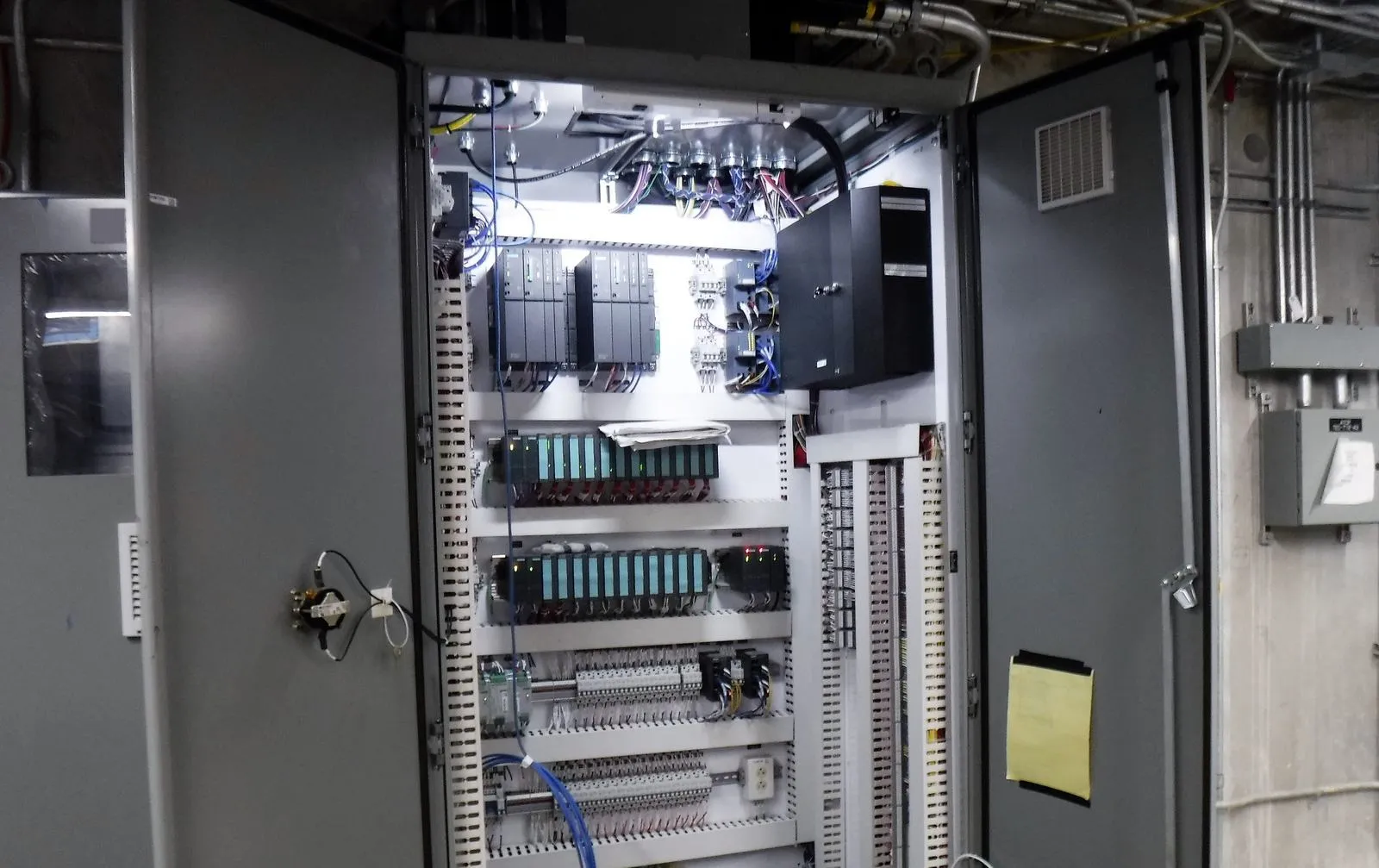
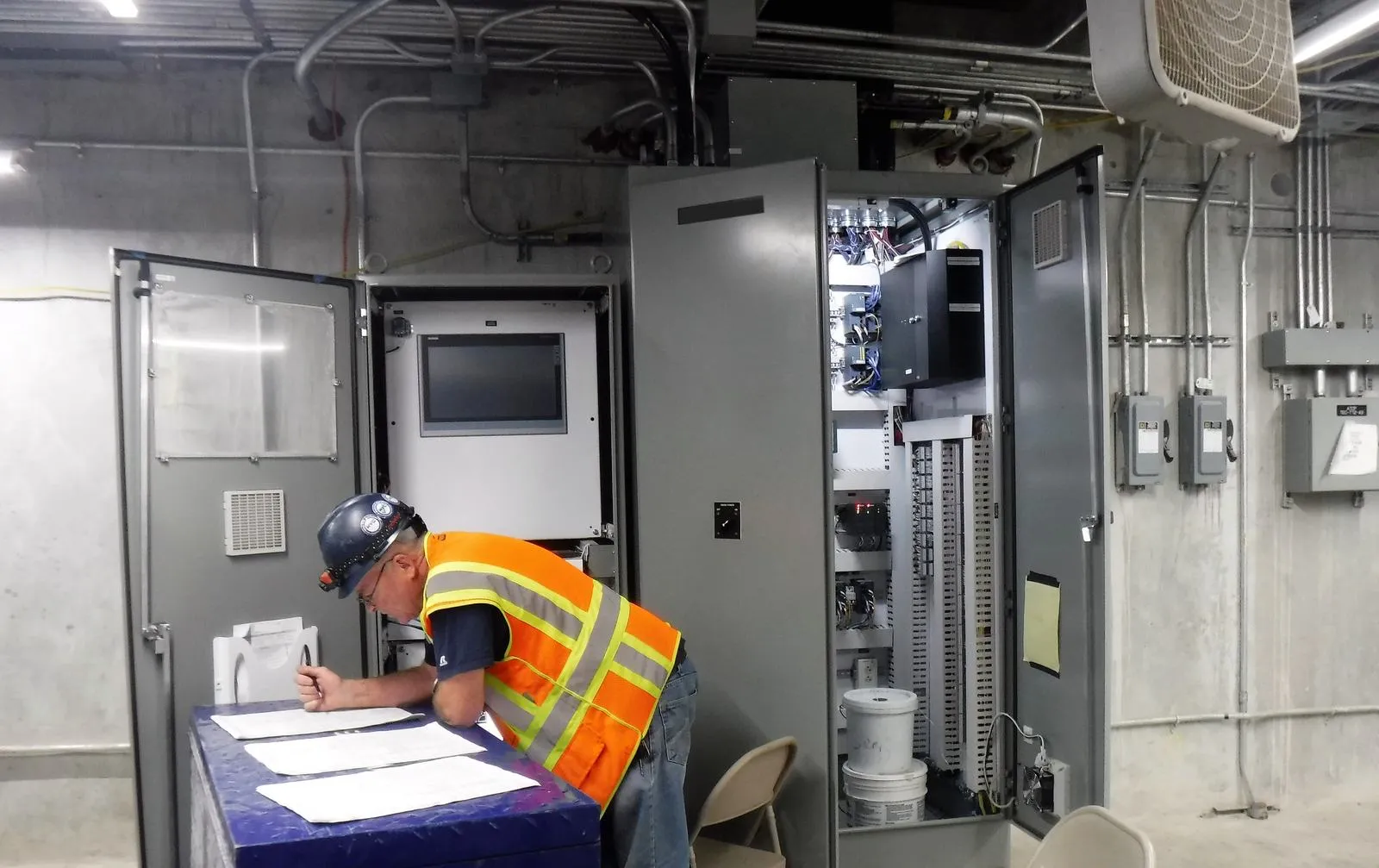
Photos: MTA Capital Construction Mega Projects, via Wikimedia Commons, licensed CC BY 2.0. Cropped, with signage and logos removed.
References and further reading
- Hacktivists and state actors targeting PLCs (Joint Cybersecurity Advisory AA26-097A) · CISA, FBI, NSA, EPA, DOE and partners, April 2026 (revised July 2026)
- IRGC-affiliated cyber actors exploit PLCs in multiple sectors (AA23-335A) · CISA, FBI, NSA, EPA and INCD, December 2023
- Guide to Operational Technology (OT) Security, SP 800-82 Rev. 4 (initial public draft) · NIST, September 2026Draft; comments open to 30 November 2026.
- Cross-Sector Cybersecurity Performance Goals 2.0 · CISA, December 2025
- FactoryTalk AssetCentre Server 16.00.00 release notes · Rockwell Automation, November 2025
- ra-logix-designer-vcs-custom-tools · Rockwell Automation (open source, MIT license)
- Logix 5000 Controllers Import/Export Reference Manual, 1756-RM014D-EN-P · Rockwell Automation, September 2025
- TIA Portal V21 press release (HQDIPR202511037269EN) · Siemens, November 2025
- TwinCAT 3 Source Control manual (TE1000) · Beckhoff, August 2026
- Supported vendors and device types · Copia Automation
- Software Defined Automation launches five new platform capabilities at Automate 2026 · Software Defined Automation, July 2026
- About octoplant · AMDT
- W32.Stuxnet Dossier, version 1.4 · Symantec, February 2011
- APT cyber tools targeting ICS/SCADA devices (AA22-103A) · CISA, DOE, NSA and FBI, April 2022
- Secure by Demand: priority considerations for OT owners and operators · CISA and international partners, January 2025
- Attackers deploy new ICS attack framework TRITON · Mandiant, December 2017
- CSB issues report on 2008 Bayer CropScience explosion · US Chemical Safety Board, January 2011
- The True Cost of Downtime 2024 · Siemens, 2024