
Rockwell Automation
PowerFlex Drives and Kinetix Motion Control
PowerFlex drives and Kinetix servo explained: how to choose a family, why fault codes differ by drive, how motion fails, and what a migration costs.
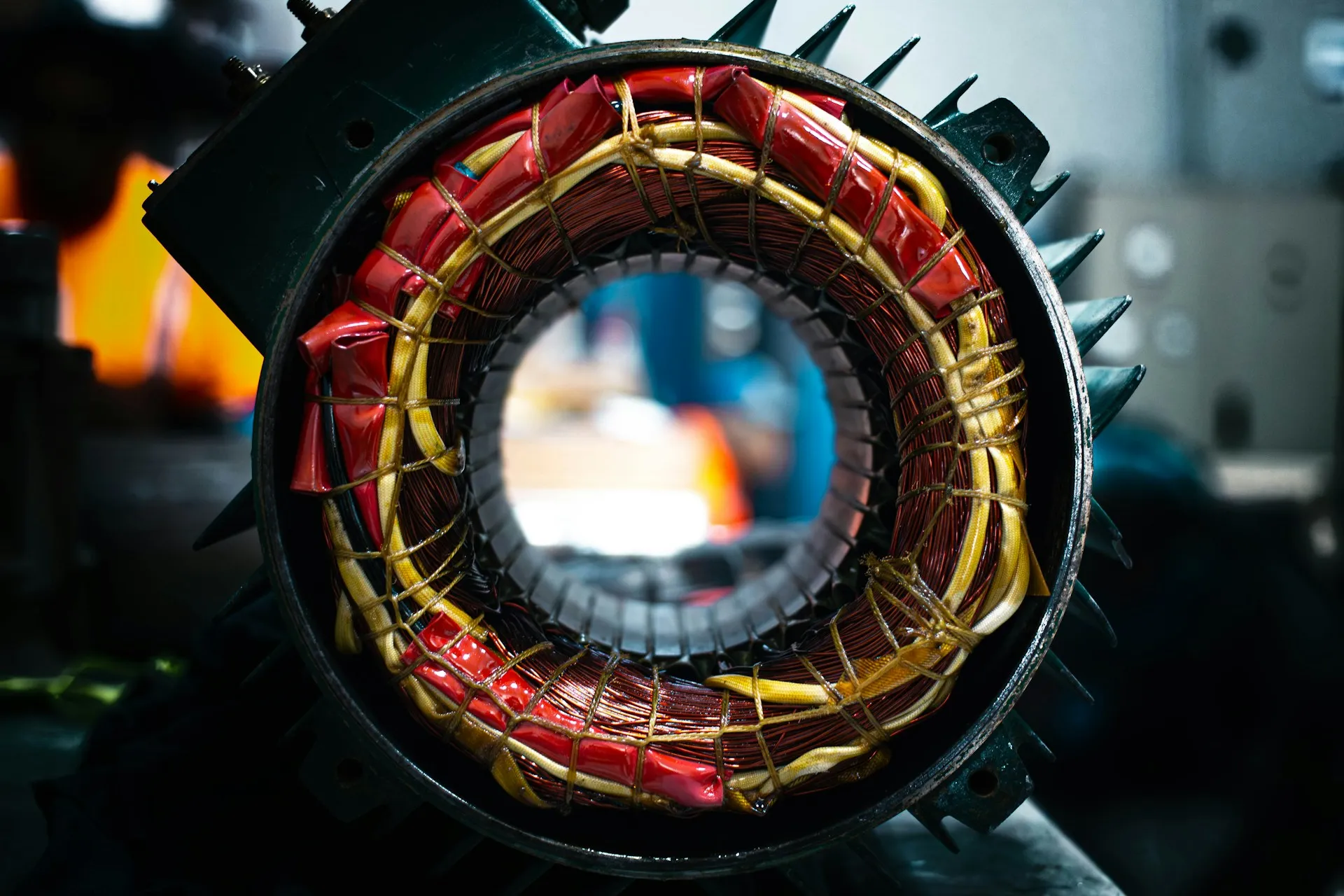
PowerFlex drives and Kinetix servo systems are where control decisions become mechanical consequences. PowerFlex is Rockwell Automation’s variable frequency drive range, used to control the speed of conveyors, pumps, fans and process machinery. Kinetix is its servo range, used where an axis must hold a position, follow a profile or move in step with other axes. A controller mistake produces a fault. A motion mistake produces scrap, a damaged mechanism, or a machine that runs but never quite holds tolerance.
This page explains the two families, how to choose between them, how they fail, and what a motion migration really contains. It sits in the Rockwell Automation cluster and links down to the two detailed pages on PowerFlex selection and fault codes and Kinetix servo migration.
What PowerFlex drives and Kinetix servo actually do
A variable frequency drive changes how fast a motor turns. It rectifies the incoming supply to a DC bus and switches that bus back out at the frequency and voltage the motor needs. In volts per hertz mode it simply scales the two together. In sensorless vector mode it estimates the motor’s flux and torque from current, which holds speed better under load. With an encoder fitted, a closed-loop vector drive measures the speed it is controlling and can hold full torque near zero speed.
A servo drive controls where the motor is. It closes position, velocity and current loops around a feedback device on the motor, usually many times faster than a VFD, and it expects a motor designed for that duty. A servo axis is how a machine cuts to length, indexes a turret, registers a print mark or keeps a filler in step with a conveyor. The plant consequence of choosing the wrong one is consistent: a VFD asked to position is slow and imprecise, and a servo used for a fan is money spent on capability nobody uses.
PowerFlex drives: the families compared
| Family | Position | Notes |
|---|---|---|
| PowerFlex 520 series (523, 525) | Machine-level, compact | 525 adds embedded EtherNet/IP and Safe Torque Off as standard. The volume product for conveyors, pumps and fans |
| PowerFlex 750 series (753, 755, 755T) | Line and process level | Modular option slots, higher power, extensive I/O and feedback options. 755T adds regenerative and low-harmonic variants |
| PowerFlex 6000 / 7000 | Medium voltage | Large process drives |
| PowerFlex 4, 40, 70, 700 | Legacy | Widely installed, discontinued or approaching it. Check each catalogue number |
Selecting a drive is rarely about the drive. In order: the load type and whether it is constant or variable torque, the duty cycle, the required feedback and control mode, the network the plant standardises on, and only then the catalogue comparison. A drive selected on price and horsepower alone is how a plant ends up with an open-loop drive on an application that needed closed-loop control, discovered at commissioning.
The parameter set is the real asset. A configured PowerFlex holds hundreds of parameters representing decisions somebody made and rarely documented. Export and store the parameter file for every drive on site. A drive that fails without a stored configuration turns a twenty-minute replacement into a day of reverse engineering from a machine that is not running. On networked 520-series and 750-series drives, the user manual describes Automatic Device Configuration, where the Logix project holds the drive’s configuration and downloads it to a replacement. It is worth using, and it still needs the project itself to be current.
Servo and coordinated motion: Kinetix
| Family | Position |
|---|---|
| Kinetix 5100 / 5300 | Entry level, standalone or simple coordinated motion |
| Kinetix 5500 / 5700 | Current mainstream. Integrated motion on EtherNet/IP, shared DC bus on 5700 |
| Kinetix 6000 / 6200 / 6500 | Previous generation, still widely installed and supported |
| Kinetix 300 / 350 | Legacy standalone |
| Ultra, 1394 | Discontinued. Analog and SERCOS-era. Migration is the only path |
Integrated Motion on EtherNet/IP is the architectural point. Modern Kinetix axes are configured inside the Logix project and commanded over the same network as everything else, which removes a separate motion network and a separate toolchain. It is Rockwell’s implementation of ODVA’s CIP Motion, and axes stay in step through CIP Sync, a time synchronisation service based on IEEE 1588. The configuration manual requires time synchronisation on every controller and communication module in the motion path. That means motion performance is now a network design question, and a poorly segmented network becomes a motion problem. The Networks page covers the switch side.
How to choose between a PowerFlex drive and a Kinetix axis
The decision is made by what the load needs, asked in a fixed order. Sizing then follows from the duty cycle: Rockwell’s Motion Analyzer tool, described in the Kinetix selection guide, sizes servo motors and drives against the actual move profile and inertia, and it is far cheaper to run before purchase than after.
Two further questions decide the details. Who will maintain it? A plant whose technicians know the 525 and the 755 is better served by two families than by five. How does it stop? Safe Torque Off is standard on the 525 and available on the 750-series and Kinetix ranges, and the safety design, not the drive, should decide which stop category and which hardware is needed.
How drives and motion fail
Fault codes are family-specific, and this is where confident wrong answers happen. A fault number on a PowerFlex 753 does not mean the same thing as the same number on a PowerFlex 525. Diagnosing from a code without naming the exact drive family and firmware revision produces answers that are wrong with no warning. Always resolve the code against the manual for that specific family and revision. The 750-series programming manual also separates faults from two types of alarm, so a drive that will not start is not always faulted.

Nuisance trips are usually installation, not the drive. Overvoltage on deceleration means the ramp is shorter than the load and the drive can dissipate, which is a braking resistor or ramp question. Overcurrent on start is usually a sizing or acceleration issue. Intermittent faults with no pattern are, more often than not, shielding and grounding: drives are the largest electrical noise source in most panels, and a motor cable shield terminated at one end only, or not terminated at all, will produce faults that appear random and are not. Rockwell’s wiring and grounding guide states that motor and input cable shields must be bonded at both ends, and calls pigtail termination the least effective method of noise containment.
Encoder and feedback faults are mechanical more often than electrical. Loose couplings, backlash and worn belts present as following-error and position faults, and get chased in the drive for days.
Velocity changes that do not take effect. On some motion function blocks, commanded velocity latches on the rising edge of the execute bit, so writing a new value while the block is running changes nothing. This is behaviour, not a fault, and it produces “the drive ignores my speed change” reports that look like a hardware problem. The general fix is to command through a block that accepts live updates, or to leave commanded velocity alone and change the gear ratio to a virtual axis instead.
| Symptom | Usual cause | First check |
|---|---|---|
| Overvoltage on deceleration | Ramp shorter than the energy the load returns | Decel time, braking resistor, regenerative option |
| Overcurrent on start | Acceleration ramp, sizing, or a mechanical bind | Turn the shaft by hand; check the brake released |
| Random trips, ground faults | Shield termination, grounding, cable routing | Motor cable glands and shield bonding at both ends |
| Following error on a servo axis | Coupling, backlash, belt wear, tuning | Mechanics first, then gains |
| Communication fault on a networked drive | The network, not the drive | Switch type, IGMP, EtherNet/IP connections |
Migration and lifecycle
Motion migrations are the most under-scoped projects in controls. A 1394 or Ultra system moving to Kinetix is not a drive swap:
- The motors usually change, because feedback types and connector standards changed
- The cabling usually changes, for the same reason
- The motion logic changes, because the programming model moved from analog or SERCOS command to Integrated Motion tags
- The mechanical tuning is redone, because gains do not transfer between platforms
- The panel layout often changes, because footprints and cooling requirements differ
Sequencing is where the money is. On a machine with many axes, migrating everything in one shutdown maximises risk and minimises learning. We normally recommend proving the approach on one axis or one machine section, capturing what the tuning and validation actually take, then sequencing the rest against real numbers rather than estimates.
VFD migrations are simpler but not trivial. Replacing a PowerFlex 70 or 700 with a 750-series drive is usually a like-for-like on the motor, but the parameter set has to be translated rather than copied, the network adapter and its data mapping change, and the controller’s drive profile changes with it. Lifecycle status is per catalogue number and moves over time, so check every unit in the Product Compatibility and Download Center rather than relying on a family name. Our control system modernization work starts from that register.
A worked example (illustrative)
An illustrative scenario, not a description of any one plant.
A packaging line has forty drives: twenty-eight PowerFlex 40s on conveyors, eight PowerFlex 700s on process pumps and mixers, and a four-axis 1394 servo system on the case former. The plant wants a single number to “replace the drives”.
Read against this page, it is three projects. The conveyor drives are a planned, rolling replacement with 525s, done a few at a time during normal maintenance windows, with parameter files captured first. The 700s move to the 750-series during the next process shutdown, with the parameter translation and the controller profile change written into the scope. The case former is a motion migration: motors, cables, logic, tuning and panel, proven on one axis before the other three. The total is honest, and it arrives in an order the plant can actually staff.
Evaluation checklist for PowerFlex drives and Kinetix motion
- Do we have a register of every drive and axis, with catalogue number, firmware and lifecycle status?
- Is a current parameter file stored for every drive, and has anyone restored one?
- For each new drive, are load type, duty cycle and control mode written down before the catalogue is opened?
- Are motor cable shields bonded at both ends with 360 degree glands?
- Are Integrated Motion axes on managed switches with time synchronisation configured end to end?
- Does the motion migration scope include motors, cables, logic, tuning and panel, not only drives?
- Is the first section of a multi-axis migration planned as a pilot whose actuals reset the estimate?
- Who will tune and support the axes in two years, and are spares decided?
What we do here
- Audit drive and motion installed base against lifecycle status, and capture parameter files before they are needed
- Diagnose recurring faults to their actual cause: installation, mechanical or configuration
- Specify drives and servo systems against the load and duty cycle rather than the catalogue
- Scope motion migrations honestly, including motors, cabling, tuning and validation
- Sequence multi-axis migrations so the first section pays for the estimate on the rest
- Review motion code and tuning before the machine is signed off
Deeper
- PowerFlex Fault Codes and Selection: choosing a family, and diagnosing faults without guessing across families
- Kinetix Servo Migration: what a 1394 or Ultra to Kinetix project really contains, and how to sequence it
Back to the Rockwell Automation hub, or across to Networks and Communications, because Integrated Motion makes network design a motion-performance question. Drives sit under Programmable Controllers in every Logix project, and a PLC platform change is often the moment to plan the drive migration too.
Frequently asked questions
What are PowerFlex drives?
PowerFlex is Rockwell Automation's family of variable frequency drives for AC induction and permanent magnet motors. The compact 520-series covers machine-level conveyors, pumps and fans. The modular 750-series covers line and process duty with option slots for I/O, feedback and safety. Medium voltage PowerFlex drives cover large process loads. Older families such as the PowerFlex 4, 40, 70 and 700 are still widely installed.
What is the difference between a PowerFlex 525 and a PowerFlex 755?
The 525 is a compact machine-level drive with embedded EtherNet/IP and Safe Torque Off, configured mostly through parameters, and it suits conveyors, pumps and fans. The 755 is modular: option cards add I/O, encoder feedback, safety and communication, it covers higher power, and it can run as an Integrated Motion axis. Choose the 755 when the application needs closed-loop control or the options, not for horsepower alone.
When should I use a servo instead of a VFD?
Use a servo when the axis must hold position, follow a profile, register to a product or coordinate with other axes, as on cut-to-length, indexing or pick-and-place. Use a VFD when the job is speed control of a conveyor, pump, fan or mixer. A closed-loop vector drive with an encoder sits in between, holding speed under changing load without full servo performance.
What is Integrated Motion on EtherNet/IP?
It is Rockwell's implementation of ODVA's CIP Motion, where servo axes and some PowerFlex drives are configured inside the Logix project and commanded over standard EtherNet/IP. Axes stay synchronised through CIP Sync, which is based on IEEE 1588 time synchronisation. It removes the separate motion network, and it makes network design, time synchronisation and switch configuration part of motion performance.
How do I check whether my PowerFlex or Kinetix drive is discontinued?
Look up each catalogue number in Rockwell's Product Lifecycle Status search or the Product Compatibility and Download Center. Status is set per catalogue number, not per family, and it changes over time, so a family name tells you little. Record the status, the suggested replacement and the date you checked in the installed-base register, and check again before each budget cycle.
References and further reading
- PowerFlex 520-Series Adjustable Frequency AC Drive User Manual (520-UM001) · Rockwell AutomationEmbedded EtherNet/IP, Safe Torque Off, the fault queue and Automatic Device Configuration.
- PowerFlex 750-Series AC Drives Programming Manual (750-PM001) · Rockwell AutomationParameters, fault and alarm handling for the 750-series, by firmware revision.
- Wiring and Grounding for Pulse Width Modulated (PWM) AC Drives (DRIVES-IN001) · Rockwell AutomationShield termination, common mode noise, reflected wave and bearing current. The source behind most nuisance-trip fixes.
- Kinetix Motion Control Selection Guide (KNX-SG001) · Rockwell Automation
- Integrated Motion on the EtherNet/IP Network Reference Manual (MOTION-RM003) · Rockwell Automation
- CIP Motion · ODVAThe open specification behind Integrated Motion, and its use of CIP Sync for time synchronisation.
- Product Compatibility and Download Center · Rockwell AutomationLifecycle status, firmware and compatibility for each catalogue number.