
Technology cluster
Cognex Vision Systems: In-Sight, DataMan, VisionPro and the Lifecycle
Cognex vision systems explained: In-Sight, DataMan, VisionPro, deep learning and 3D on the ISA-95 stack, with what is current, mature and older.
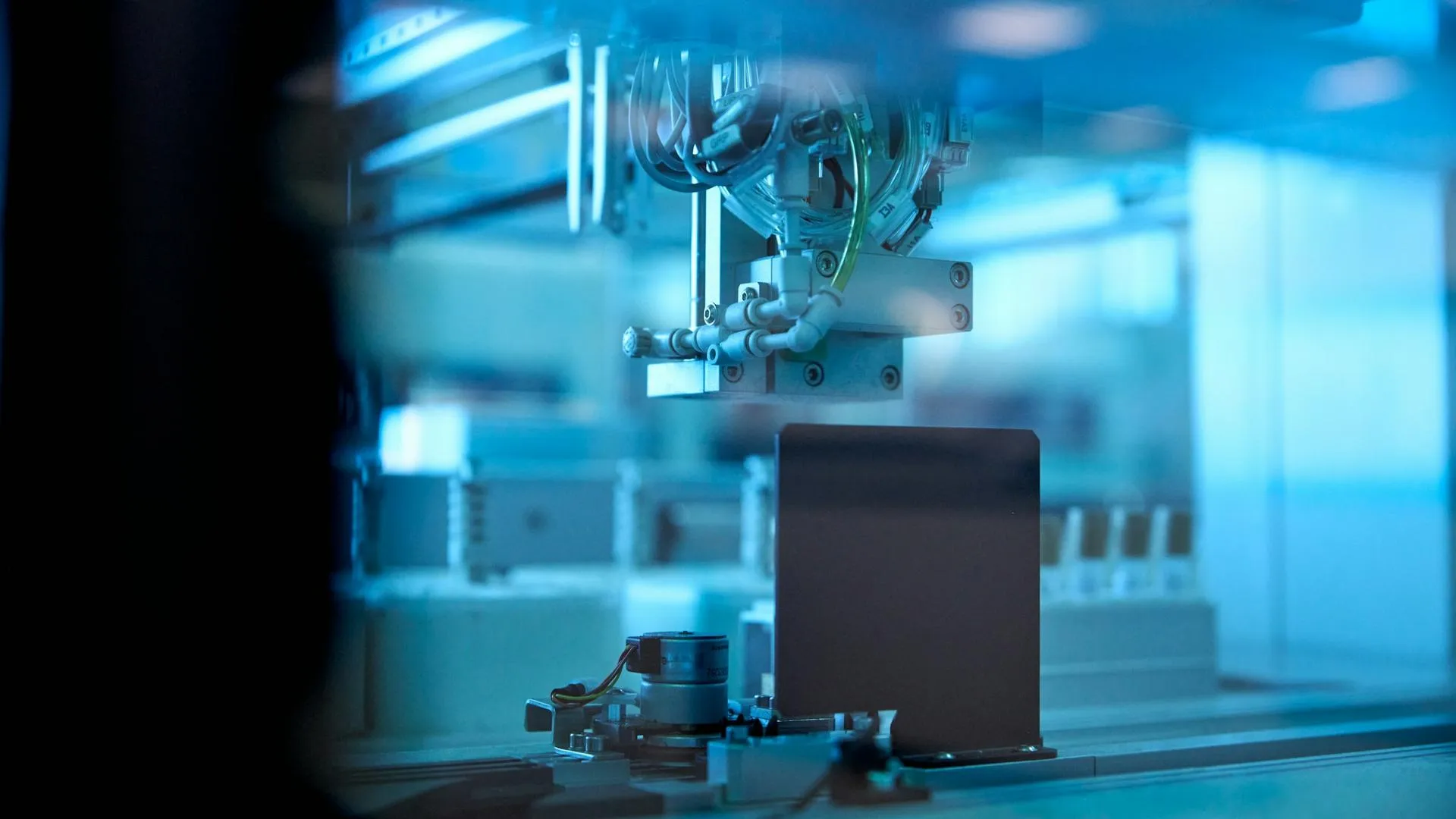
Cognex vision systems are the smart cameras, barcode readers, PC software and AI tools that Cognex Corporation (NASDAQ: CGNX) sells for checking products, guiding machines and reading codes on production lines. In a plant they usually sit at the machine, take a picture when a photoeye or PLC says so, decide pass or fail, and hand the answer to a controller. This page maps that portfolio for the people who specify, program and maintain it, explains how to read the status of older hardware, and links to eight system pages that go deeper.
This is an independent technical profile. Cognex is not a Joltek partner, and everything below comes from public sources: Cognex’s SEC filings, its product documentation at docs.cognex.com, its press releases and a US government advisory. Where a Cognex statement is a performance claim, we say “Cognex states”. Where something is our own reading, we say so. For the company itself, its finances, deals and competitors, see Cognex Corporation, the company behind it.
Cognex in brief
Cognex states in its annual report that it was “founded in 1981” and that it reports a single business segment, machine vision (Cognex 10-K, fiscal 2025). Its own grouping of what it sells has five parts: vision systems and sensors (the In-Sight line), vision software (VisionPro), barcode readers (DataMan), vision accessories (cameras, lenses, lighting, controllers) and, since 2025, the OneVision cloud platform and the SLX logistics devices. The company overview has the history and the numbers; the short version for a plant engineer is the sequence of technology moves.
A spreadsheet in a camera, about 2000. Trade press dates the first In-Sight to around 2000: a vision system configured through a spreadsheet and needing no external PC for setup. We could not confirm the year in a Cognex primary source. That spreadsheet idea survives today as one of the two programming modes on every current In-Sight, and it is the reason a technician can still open a twenty-year-old job and recognise it.
Deep learning by acquisition, 2017 and 2019. Cognex bought ViDi Systems of Switzerland in April 2017 and SUALAB of Seoul on 16 October 2019 for about $195 million in total consideration, according to its fiscal 2019 annual report. VisionPro Deep Learning, the PC-based product, describes itself in its release notes as the direct successor to VisionPro ViDi.
Edge learning on the camera, 2022 to 2026. The In-Sight 2800 (April 2022) put a small trained classifier on the camera. The In-Sight 3800 followed in April 2023, SnAPP in September 2023, the 8900 (trade press dates it to March 2025, although Vision Suite 24.4.0 already supported it), and in April and May 2026 the 6900 vision controller and the 3900. In Vision Suite 26.1.0 the tool family formerly called ViDi EL was renamed Edge AI, according to the release history.
Its own optics, October 2023. Cognex closed its acquisition of Moritex, a Japanese maker of lenses and lighting, on 18 October 2023, so lenses and lights from that business now appear in Cognex manuals under Cognex’s own part-numbering (Cognex 10-K, fiscal 2023).
Cognex vision systems on the ISA-95 stack
The portfolio is easiest to understand by where each piece runs. Cognex devices live at the machine, on levels 0 and 1 in ISA-95 terms. The PC tools used to build and tune the inspection live at level 2 or 3. The newest piece, OneVision, lives in the cloud and only trains and manages AI models. The diagram places each product family against the stack.
Read the diagram from the bottom up. A device at the machine takes an image on a trigger and runs its tools. It returns a result to the PLC, usually over EtherNet/IP or PROFINET, and may send the image to an archive. Everything above that is about building, training and managing the job, not about running it. This matters for security and for uptime: a plant that loses its engineering PC or its cloud login keeps inspecting, but cannot change anything.
The portfolio as a table
| Family | What it is | Runs on | Programmed with |
|---|---|---|---|
| In-Sight 2800, 3800, 3900, 8900, SnAPP | Smart cameras and a vision sensor that inspect on the device | The device | In-Sight Vision Suite (SnAPP: a browser) |
| In-Sight 6900 | A vision controller that takes separate cameras, lenses and lights | The controller | In-Sight Vision Suite |
| In-Sight 7000, 8000, 9000, 2000 | Older rule-based smart cameras | The device | In-Sight Explorer |
| DataMan | Fixed-mount and handheld barcode and direct part mark readers, plus verifiers | The device | Setup Tool and browser interface |
| VisionPro | A tool library for PC-based vision with third-party or Cognex cameras | A Windows PC | VisionPro, Cognex Designer |
| VisionPro Deep Learning | Deep learning tools for the hardest defects | A GPU PC | Its own application, dongle-licensed |
| 3D | Laser profilers and structured-light cameras, in embedded and PC-based forms | Device or PC | Vision Suite or VisionPro |
| OneVision | A cloud platform to train, version and deploy AI models | The cloud, with edge runtime | A web interface |
The In-Sight page is the largest because In-Sight is the line most plants meet first. A plant also meets Cognex through the DataMan readers on conveyors and packs, and increasingly through the AI tools described in deep learning and AI.
Three tiers of AI, which are different products
Cognex’s literature uses “AI” for three distinct things, and mixing them up is the commonest confusion in a quote or a specification.
| Tier | What Cognex says it is | Where it runs | Training effort (Cognex states) |
|---|---|---|---|
| Edge AI (formerly ViDi EL, “edge learning”) | Pre-trained models tuned with a small set of your images | On the camera | As few as five images for some tools, per the 2022 In-Sight 2800 launch |
| Advanced AI tool modes | Transformer-based tools on the newest systems | On the 6900 and 3900 | 10 to 20 images for Few Sample Classification, per the 6900 release |
| VisionPro Deep Learning | Deep learning trained on a GPU PC for fine defect localisation | A PC with a GPU | More images, GPU training |
All of those figures are Cognex’s, and none is independently benchmarked here. The practical point is that edge AI runs on the camera you already buy for the job, while VisionPro Deep Learning is a separate PC project with its own licence dongle.
Smart camera, vision sensor or PC: choosing the architecture first
Before choosing a Cognex family, choose the architecture. Machine vision comes in four shapes, and every vendor sells some mix of them. The comparison below describes the shapes in general terms; it is our synthesis, not a Cognex statement, and the vendor-specific confirmation belongs on each product page.
| Dimension | Vision sensor | Smart camera | PC-based vision | AI-native platform |
|---|---|---|---|---|
| What it is | Single-purpose pass or fail unit with a few tools | Camera, processor, tools, I/O and software in one body | Cameras connected to a computer running a tool library | Built around trained neural network models |
| Cognex example | In-Sight SnAPP | In-Sight 2800, 3800, 3900, 8900 | VisionPro, In-Sight 6900 controller | Edge AI, Advanced AI, VisionPro Deep Learning |
| Set-up effort | Low | Low to medium | Medium to high | Low to start, high to validate |
| Flexibility | Limited | Medium | Highest: any camera, many cameras | Strong on variable appearance |
| Typical failure sources | Lighting and fixture | Lighting, focus, configuration drift | Network, PC patches, drivers | Data drift, new product variants |
Notice that the 6900 sits between two shapes. Cognex describes it as a modular controller with separately chosen cameras, lenses and lights, yet it runs the same Vision Suite software as the smart cameras. For a plant, the effect is that one controller can serve a station with several cameras, at the price of more parts to specify, mount and cable.
How to read a Cognex model name
Cognex part names carry information if you know the pattern, and the manuals confirm most of it. On the In-Sight 3800, a model such as IS3805C is the 5 megapixel version, and the suffix tells you the sensor: M for monochrome, C for colour. The 8900 uses the same logic with its own resolution numbers. On DataMan 380 and 390 readers, our reading of the manuals’ tables is that QL marks omnidirectional one-dimensional reading and X marks one- and two-dimensional reading, though that mapping is inferred from column headings. Lens part numbers changed after the Moritex deal: Cognex notes that the former “LMC-” prefix was dropped. The practical advice is to order from the full model designation and the accessory list in the current reference manual, because a camera body alone has no lens and the ingress rating of some models depends on which cover or light is fitted.
An illustrative scenario
A packaging line adds a label check. The line runs mixed SKUs, so the inspection must change over by recipe. The controls team already uses Studio 5000. A sensible path, in our view: choose a smart camera with enough resolution for the smallest printed feature, add a proper light and a fixed bracket, trigger from a photoeye, and return a pass or fail plus a job number to the PLC. The same station might later add a DataMan reader for the lot code. What decides success is rarely the camera model. It is whether changeover loads the correct job, whether the light stays stable through a shift, and whether anyone can restore the job after a failed unit is swapped. The system pages cover each of those in turn.
The Cognex lifecycle model: how status is signalled
This is the section a buyer needs most and the one where public information is thinnest. Cognex’s own product-status and “legacy” pages sit on cognex.com and support.cognex.com. Both refused automated access during our research with HTTP 429 responses, and we did not work around that. So we could not read any Cognex lifecycle table, discontinuation list or last-time-buy notice, and we found no such notice in public documents.
What we could read gives four weaker signals, and the model below is built from them.
- Documentation sets. docs.cognex.com keeps versioned manuals. A manual dated 2025 or 2026 means the product is still maintained. A manual that stops at a 2022 revision means it is no longer revised, which is not the same as unsupported.
- Software support lists. The last In-Sight Explorer release we found, 6.5.1 from October 2024, lists firmware for the 7000 second generation, 8000 and 9000 and for older lines, and does not list the 2800, 3800 or 3900 (release notes).
- Launch cadence. Cognex introduced roughly one new In-Sight family a year from 2022 to 2026. When a new family arrives with the same role, the older one is probably approaching the end of its active life, but that is our inference.
- Cognex’s words to a regulator. In CISA advisory ICSA-25-261-06 of 18 September 2025, Cognex reports that “In-Sight Explorer based vision systems are legacy products not intended for new applications” and advises moving to Vision Suite based systems “such as the In-Sight 2800, In-Sight 3800, In-Sight 8900 series” (CISA). The advisory’s affected products are the 2000, 7000, 8000 and 9000 series and Explorer 5.x to 6.5.1, so reading “legacy” as applying to those four families is our inference. It is the strongest lifecycle statement we found, and it is secondhand through CISA.
From those signals we use four labels. They are ours, not Cognex’s.
| Our label | What it means | How we assign it | Families (as of November 2026) |
|---|---|---|---|
| Current | Launched or documented in 2022 to 2026 and promoted by Cognex | Recent launch and current manual | In-Sight 3900, 6900, 8900, 3800, 2800, SnAPP, L38; DataMan 290, 390, 380, 580; VisionPro; VisionPro Deep Learning 4.x; OneVision |
| Mature | Documented and in the software support list, not promoted | Manual and firmware list, no new launch | In-Sight 9000; 3D-L4000, DS1000, 3D-A5000, 3D-A1000 |
| Older (inferred legacy) | Superseded by a newer family in an overlapping role | Explorer-only, 2022 manuals, Cognex’s “legacy” wording | In-Sight 7000 second generation, 8000, 2000; D900; Checker; In-Sight 7000 first generation |
| Discontinued | Cognex says so in a notice | A Cognex notice | None found |
What each label means for a plant. A current family can be specified into a new line today. A mature one is safe to keep running and to buy as a like-for-like spare, but we would not design a new line around it. An older one needs a plan: confirm spare availability, find out which software and PC operating system the technicians use to reach it, and read the 2025 advisory before it sits on a shared network. The lifecycle and security page and replacing older In-Sight cameras cover that in detail.
One piece of hardware evidence supports the migration picture without being a lifecycle statement. The In-Sight 3800 range includes converter brackets, ISB-7000-7K and ISB-7000-5K, that adapt the footprints of the older 7000 cameras (3800 reference manual). Cognex designed a mechanical path from the 7000 to the 3800. It has not, in anything we read, said the 3800 replaces the 7000.
System index
In-Sight smart cameras
The 2800, 3800, 3900, 8900, 6900 controller and SnAPP compared, how to select one, and how they fail in the field.
Deep learning and AI
Edge AI, Advanced AI, VisionPro Deep Learning and OneVision: three tiers, what each needs, and when to use which.
VisionPro
PC-based vision, PatMax pattern matching, and when a PC beats a smart camera.
DataMan readers and verifiers
Fixed-mount and handheld readers, direct part marks, grading and logistics scanning.
3D vision
Laser profilers, structured-light cameras and package dimensioning.
PLC integration
EtherNet/IP with Studio 5000, PROFINET with TIA Portal, and image archiving and data.
Lifecycle and security
What is current, mature or older, and what the 2025 advisory means for legacy cameras.
Applications
Food and beverage, pharmaceutical serialisation and packaging inspection.
Most asked
The three questions that bring most readers to a Cognex page, answered in depth:
- Choosing an In-Sight camera: the 3800, 3900, 8900 and 2800 compared, with a decision tree and the facts Cognex has not yet published.
- EtherNet/IP and Studio 5000: the trigger and result handshake, the Add-On Profile and EDS routes, and the mistakes that stop a camera from triggering.
- The 2025 advisory: nine vulnerabilities in the older In-Sight lines and Explorer, which products are affected, and what to do with a camera that will not be patched.
What Cognex vision systems mean for a plant
These are our views, drawn from the public record above. They are meant for the person deciding which family to specify or what to do about an existing camera.
Pick the family by where the job will live, not by the newest launch. A new line with a modest inspection and a controls team that knows Studio 5000 is well served by a mature, well-documented family such as the 3800. The newest parts, the 3900 and 6900, were announced in April and May 2026, and as of November 2026 Cognex’s releases did not give prices, ship dates or model numbers. A specification written around an unpublished part is a risk for a project schedule.
The camera is the cheap part. The inspection holds or fails on lighting, fixturing, the trigger and the handshake with the PLC. A good lens and light on a modest camera beat a premium camera with a poor setup. The In-Sight page covers how these jobs fail.
Software versions are a lifecycle decision. A plant that runs both older and newer cameras needs two toolchains, In-Sight Explorer and In-Sight Vision Suite, on engineering PCs that may differ in operating system. That is a support cost to plan, and Vision Suite versus Explorer sets out which software runs which camera.
Treat AI claims as claims. The image counts and speed figures in Cognex’s releases are vendor statements, and the reference system for “up to 4X faster” is not named. Test on your own parts, including bad ones, before committing a line to a model, and keep change control on retraining. Our guide to ISA/IEC 62443 and OT network architecture explain why a camera on a plant network deserves the same discipline as a PLC.
Plan for archiving and time from day one. Images, timestamps and result data end up in quality records. Camera clocks, FTP paths and file naming are the unglamorous details that decide whether the record is usable, a point the image archiving and data page develops.
Where Joltek works
Our team has programmed in-line inspection on Cognex In-Sight cameras at large food and consumer-goods manufacturers, and we integrate Cognex cameras and readers with PLCs, line controls and data systems as part of controls projects: specification, PLC handshakes, commissioning and troubleshooting. We have no commercial relationship with Cognex and do not resell its products.
That scope is deliberately narrow. We do not claim to be a Cognex integrator, a certified partner or a source of Cognex support. If your question is about spares, firmware entitlement or pricing, the answer comes from Cognex or its channel. If it is about how a camera fits a controls architecture, a network or a commissioning plan, that is our work, and it sits under systems integration and commissioning support. The Rockwell networking page covers the plant-network side that most In-Sight projects depend on.
Limits and open questions
A fair profile names what we could not establish, as of November 2026:
- No Cognex lifecycle page was readable. Every “older” label above is an inference, and the only Cognex lifecycle wording we found is the 2025 advisory language.
- Vision Suite replacing Explorer is an inference. The 3800 first appears in Vision Suite release 23.1.0, and Explorer 6.5.1 does not list it, but we found no Cognex sentence that says “replaced”.
- The 3900 and 6900 are lightly documented. Cognex’s releases give no model numbers, prices or ship dates, and the 6900’s resolution depends on the camera chosen.
- OneVision support for the 3800 and 8900 after general availability is unclear. The June 2025 beta release named them, while the May 2026 release says OneVision is “optimized to work with Cognex’s latest systems, including the In-Sight 3900 and In-Sight 6900”.
- Prices and licence terms are not public for Vision Suite tool packs, Edge AI per model or VisionPro Deep Learning tiers.
- Cognex’s own comparison of its AI tiers is not independently benchmarked. Image counts and speed claims come from Cognex releases.
Trademark notice. All product names, logos and brands are the property of their respective owners. In-Sight, DataMan, VisionPro, PatMax, EasyBuilder and Cognex are registered U.S. trademarks of Cognex Corporation, and OneVision, ViDi and SLX are trademarks of Cognex Corporation, as identified in its product documentation. Other names are trademarks of their owners. Use of these names does not imply any affiliation with, endorsement by, or partnership with the manufacturer. Joltek is an independent consultancy; commercial relationships, where they exist, are disclosed on our Partners page.
Frequently asked questions
What are Cognex vision systems?
Cognex vision systems are the cameras, barcode readers, software and AI tools that Cognex Corporation sells for inspecting products, guiding machines and reading codes. Cognex groups them as In-Sight smart cameras and sensors, VisionPro PC software, DataMan readers and verifiers, and vision accessories such as lenses and lights. A plant PLC normally receives their results over EtherNet/IP, PROFINET or discrete I/O.
What is the difference between In-Sight, DataMan and VisionPro?
In-Sight is a family of smart cameras and sensors that run inspection jobs on the camera itself. DataMan is the line of barcode and direct part mark readers and verifiers. VisionPro is PC software that runs a library of vision tools with cameras and frame grabbers on a computer. In short, In-Sight inspects on the device, DataMan reads codes, VisionPro runs on a PC.
Does Cognex publish a product lifecycle or end-of-life list?
We could not find one. Cognex's product pages and support site refused automated access during our research, so any lifecycle page behind them went unread, and we found no discontinuation notice in public documents. The closest public statement is a 2025 CISA advisory in which Cognex reports that 'In-Sight Explorer based vision systems are legacy products not intended for new applications'. The advisory's affected list is the In-Sight 2000, 7000, 8000 and 9000 series and Explorer. Confirm status with Cognex or a distributor.
Which software runs the In-Sight 3800?
The In-Sight 3800 is programmed with In-Sight Vision Suite. Cognex's reference manual tells you to download Vision Suite, connect the camera and click Connect. The older In-Sight Explorer, last found at version 6.5.1 from October 2024, does not list the 3800 among its supported firmware. Whether Vision Suite formally replaced Explorer is our inference, not a Cognex statement.
Is the Cognex In-Sight 7000 discontinued?
We found no Cognex discontinuation notice for the second-generation In-Sight 7000. Cognex still hosts its manuals, and In-Sight Explorer 6.5.1 still lists 7000 firmware. A 2025 CISA advisory lists the 7000 series among its affected products and quotes Cognex calling In-Sight Explorer based vision systems legacy products not intended for new applications. We label it mature to older, inferred, and suggest asking Cognex about spares.
Does Joltek resell or partner with Cognex?
No. Joltek is an independent consultancy with no commercial relationship with Cognex and does not resell its products. Our team has programmed in-line inspection on In-Sight cameras and integrates Cognex cameras and readers with PLCs, line controls and data systems as part of controls projects. This site profiles the technology for engineers, not for Cognex.
References and further reading
- Cognex Corporation Form 10-K for fiscal 2025 · Cognex Corporation, filed with the SECCognex's own grouping of its product families, its founding year and its sales model.
- In-Sight Vision Suite EasyBuilder release history · Cognex documentationWhich camera arrived in which Vision Suite release, and the ViDi EL to Edge AI rename.
- In-Sight Explorer 6.5.1 release notes · Cognex documentationThe firmware list that still includes 7000, 8000 and 9000 and omits 2800 and 3800.
- CISA advisory ICSA-25-261-06: Cognex In-Sight 2000, 7000, 8000, 9000 and Explorer · CISAThe clearest public statement of Cognex lifecycle language.
- In-Sight 3800 Reference Manual (Vision Suite 25.3) · Cognex documentationModels, ports, protocols and the connect procedure.
- Cognex launches highest performance embedded AI vision system, In-Sight 3900 · Cognex release, 5 May 2026
- Cognex OneVision general availability release · Cognex release, 13 May 2026
- DataMan Industrial Protocols Manual · Cognex documentationProtocol support depends on the reader model.
- Cognex Corporation Form 10-K for fiscal 2023 · Cognex Corporation, filed with the SECMoritex, closed 18 October 2023.