
octoplant Supported Devices: What AMDT Covers and How to Verify It
octoplant SCADA Backup: HMI Projects, Network Devices and PC Images
octoplant SCADA backup and HMI coverage, plus switch and firewall configs, PC images and generic files: examples, what to capture, and what recovery needs.

octoplant SCADA backup covers the layer of a plant that operators see and that a recovery usually reaches last: HMI and SCADA projects, the managed switches and firewalls that carry the traffic, the PCs everything runs on, and the loose files that never fit anywhere else. AMDT lists SCADA systems, HMIs, switches, routers, firewalls, industrial PCs and documents among the asset types octoplant covers (octoplant.com). This page covers example products, what each backup should capture, and why a SCADA recovery needs more than a project file. It is one of three device pages under octoplant supported devices.
octoplant SCADA backup coverage: HMI, network and PCs
The products below are examples from partner pages (iOpen, Adeptly) and the octoplant 105 release notes (Novotek UK). They are not a complete or current matrix. As of October 2026 the official list is behind the myAMDT login, so verify each product and version with AMDT.
| Category | Examples (partner-sourced) | What to capture | Typical failure if not captured |
|---|---|---|---|
| HMI and machine panels | FactoryTalk View ME, Siemens WinCC and WinCC flexible | Screens, tags, alarms, scripts, recipes, runtime settings | A replacement panel showing the wrong screens or none at all |
| SCADA servers | FactoryTalk View SE, AVEVA InTouch, System Platform and Plant SCADA, COPA-DATA zenon, GE iFIX, Siemens WinCC | Project, tag database, alarm and security configuration, drivers and connections | Operators running blind while a server is rebuilt by hand |
| DCS | Siemens PCS 7, ABB Freelance | Engineering project, hardware and network configuration | A process area that cannot be safely reloaded |
| Network devices | Siemens SCALANCE, Hirschmann, Rockwell Stratix, mGuard | Running configuration: VLANs, port settings, redundancy, firewall rules | A replacement switch that brings up a flat network, or no network |
| PC images | Image Service Integration with Drive SnapShot or Acronis | Full disk image of HMI, SCADA and engineering PCs | Days rebuilding Windows, software and licences |
| Generic files | CSV, XML, Office files, binaries via FTP, SSH or UNC shares | Recipes, exports, manuals, drawings, scripts | Documents that exist only on one person’s laptop |
Coverage moves with releases. Release 105 added FactoryTalk View and newer zenon versions. On licensing, AMDT’s pricing page notes that documents do not count as devices (octoplant pricing), which makes it cheaper to put manuals and drawings under the same version control; see editions and licensing.
Why octoplant SCADA backup is more than a project file
A SCADA server is a stack, and a project backup covers one layer of it. Recovering a failed server means rebuilding every layer in order, at matching versions. That is the main thing to understand before buying any SCADA backup tool.
An illustrative scenario. A SCADA server’s disk fails. The project is backed up nightly and the copy is current. The replacement server needs Windows, the SCADA application at the exact version the project was built in, licences that were tied to the old hardware, and the driver settings that pointed at forty controllers. Without an image, each of those is a separate problem solved under pressure, and the operators watch the process from local panels until it is done. Our SCADA and historians page covers the wider architecture choices that shape how hard this is.
AVEVA users have an item to check. AMDT partners have reported an end of life for MDT AutoSave for System Platform; confirm the date with AMDT. Sites relying on it should confirm how octoplant handles System Platform today; see versiondog and AutoSave end of life.
Network devices: the configuration nobody wrote down
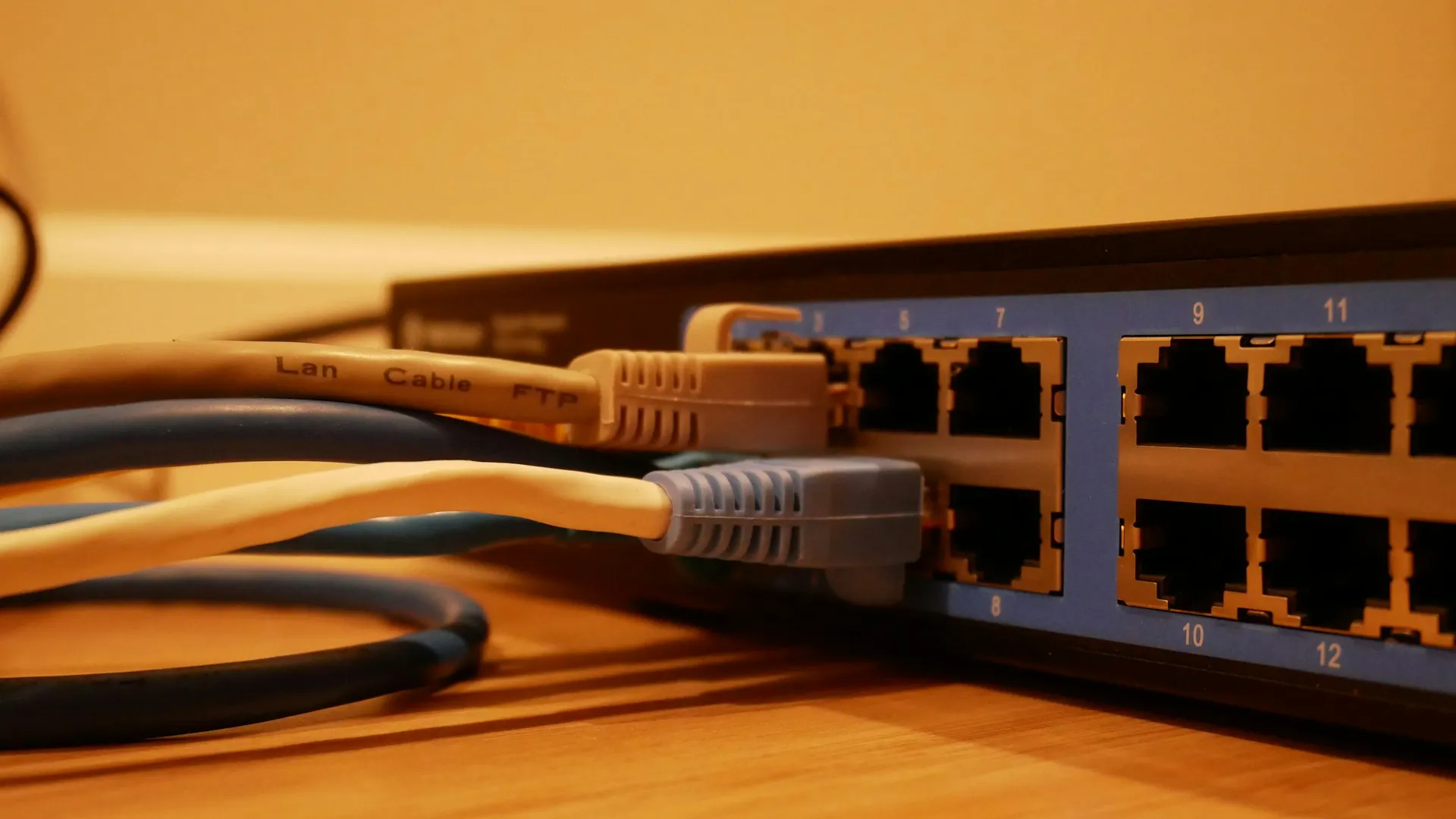
A managed switch carries more design than it looks. VLANs, trunk ports, redundancy rings, port security and, on a firewall, every rule that separates the control network from the rest of the business. That design is usually stored in one place: the device. When it fails, a replacement either comes up flat or comes up dead, and either way the plant is relying on whoever remembers the design.
Partner pages list Siemens SCALANCE, Hirschmann, Rockwell Stratix and mGuard devices. If your plant runs other switch or firewall brands, ask AMDT for their status directly. In general, network configurations are retrieved as text over management protocols such as SSH, which also makes them easy to compare: a changed firewall rule shows up as a changed line.
Two cautions. First, only managed devices have a configuration to back up. Plants full of unmanaged switches have a different problem, set out in our post on industrial unmanaged switches and cybersecurity. Second, putting the backup server on the network to read every switch is itself a design decision. It should follow the segmentation model described on our OT networks page, not cut across it.
An illustrative network scenario. A managed switch in a packaging hall fails during a night shift. Maintenance has an identical spare and installs it in twenty minutes. The spare boots with factory settings: one flat VLAN, no ring redundancy, no port restrictions. Some drives and remote I/O come back; others sit on the wrong VLAN and stay dark. With a stored configuration, the fix is a download and a compare. Without one, someone rebuilds the design from old drawings, and the line waits.
PC images and generic files
Engineering and HMI PCs are the slowest assets to rebuild. AMDT’s Image Service Integration brings PC images into the same repository, with partners naming Drive SnapShot and Acronis as the imaging tools. The imaging tool makes the image; octoplant stores and versions it, so there is one place to look on the bad day.
Generic files close the remaining gaps. Recipes, exports, scripts, manuals and drawings can be stored over FTP, SSH or network shares. That is also the fallback for devices not on the matrix: file-level storage without the detailed compare, which is still far better than a copy on one laptop.
What a complete recovery kit holds
NIST’s OT security guide recommends a list of all maintained backups that includes installation media, licence keys and configuration information, verified for integrity where possible and held in a second location so the incident that destroys the server cannot also destroy the copy (NIST SP 800-82 Rev. 3, section 6.2.4.3). Whatever tool stores it, a SCADA, HMI and network recovery kit should hold, per system:
- The current project, versioned, with the application version it was built in
- A recent image of each server and panel PC, or a written and tested rebuild procedure
- Licence details and the steps to move them to new hardware
- Driver and connection settings for every controller the system talks to
- The running configuration of every managed switch, router and firewall
- The location of historical and alarm data, and who backs it up
- The date of the last successful test restore
Where it gets hard
- Version lock between project and application. A SCADA project restored onto a different application version may need conversion. Record the version with every backup.
- Licences tied to hardware. Many SCADA licences are bound to a machine or dongle. A restore plan has to include how licences move.
- Runtime data. Historical and alarm databases are not always part of the project. Decide who backs them up and how.
- Image size and storage. Full images of dozens of PCs take space and time. Plan retention rather than keeping every image forever.
- Credentials on network devices. Reading a switch configuration needs credentials. How they are stored and rotated is a security question in its own right.
- Test restores. A SCADA restore that has never been rehearsed is a hypothesis. Schedule one on a spare or virtual machine at least once a year.
For the disaster recovery workflow that ties these layers together, see octoplant disaster recovery. For the other device groups, see robots, CNC and drives and PLCs and engineering software. Back to the AMDT hub.
Frequently asked questions
Which SCADA and HMI software does octoplant support?
Partner pages list Siemens WinCC, WinCC flexible and PCS 7, Rockwell FactoryTalk View ME and SE, AVEVA InTouch, System Platform and Plant SCADA, COPA-DATA zenon, GE iFIX and ABB Freelance as examples. Release 105 added FactoryTalk View and newer zenon versions. Confirm your exact versions against the current matrix, which is behind the myAMDT login as of October 2026.
Can octoplant back up network switches and firewalls?
Partner pages list Siemens SCALANCE, Hirschmann, Rockwell Stratix and mGuard devices, and AMDT lists switches, routers and firewalls among the asset types octoplant covers. A configuration backup is only possible on managed devices; an unmanaged switch has no configuration to store. Confirm model support and the access method with AMDT.
Does octoplant back up industrial PCs?
AMDT offers an Image Service Integration for PC images, and partner pages name Drive SnapShot and Acronis as the imaging tools involved. The image itself is produced by the imaging tool; octoplant stores and versions it alongside the device backups. Ask how image size, storage and restore testing are handled for your fleet of HMI and engineering PCs.
Is a SCADA project backup enough to recover a SCADA server?
Usually not. Recovering a SCADA server also needs the operating system, the installed application at the right version, licences, drivers and communication settings, and sometimes historical and alarm data. A project backup is one layer. A PC image or a documented rebuild procedure covers the others, and a test restore proves they fit together.
What happened to AutoSave for System Platform?
AMDT partner notices report that MDT AutoSave for System Platform, the AutoSave edition used with AVEVA System Platform, has reached end of life, alongside the wider retirement of AutoSave and versiondog. Confirm the exact date with AMDT. Sites still running it should plan their move to octoplant or another tool, and ask AMDT how System Platform is supported in the current octoplant release.
References and further reading
- Production Resilience Against Disruptions · AMDT (octoplant.com)Asset types covered, the 160-vendor claim, and the graph, table and text compare views.
- octoplant - Data Security for all Automation Devices · iOpenPartner-published example device list; may lag the current matrix.
- Octoplant · Adeptly AfricaPartner-published example device list and the note on built-in device support.
- Octoplant 105.0 Now Available · Novotek UKRelease 105 device and editor additions.
- Pricing · AMDT (octoplant.com)Core, Plus and Premium editions, unlimited jobs, documents not counted as devices. No prices.
- SP 800-82 Rev. 3, Guide to Operational Technology (OT) Security · NISTSection 6.2.4.2 covers configuration change control; 6.2.4.3 covers backups.